
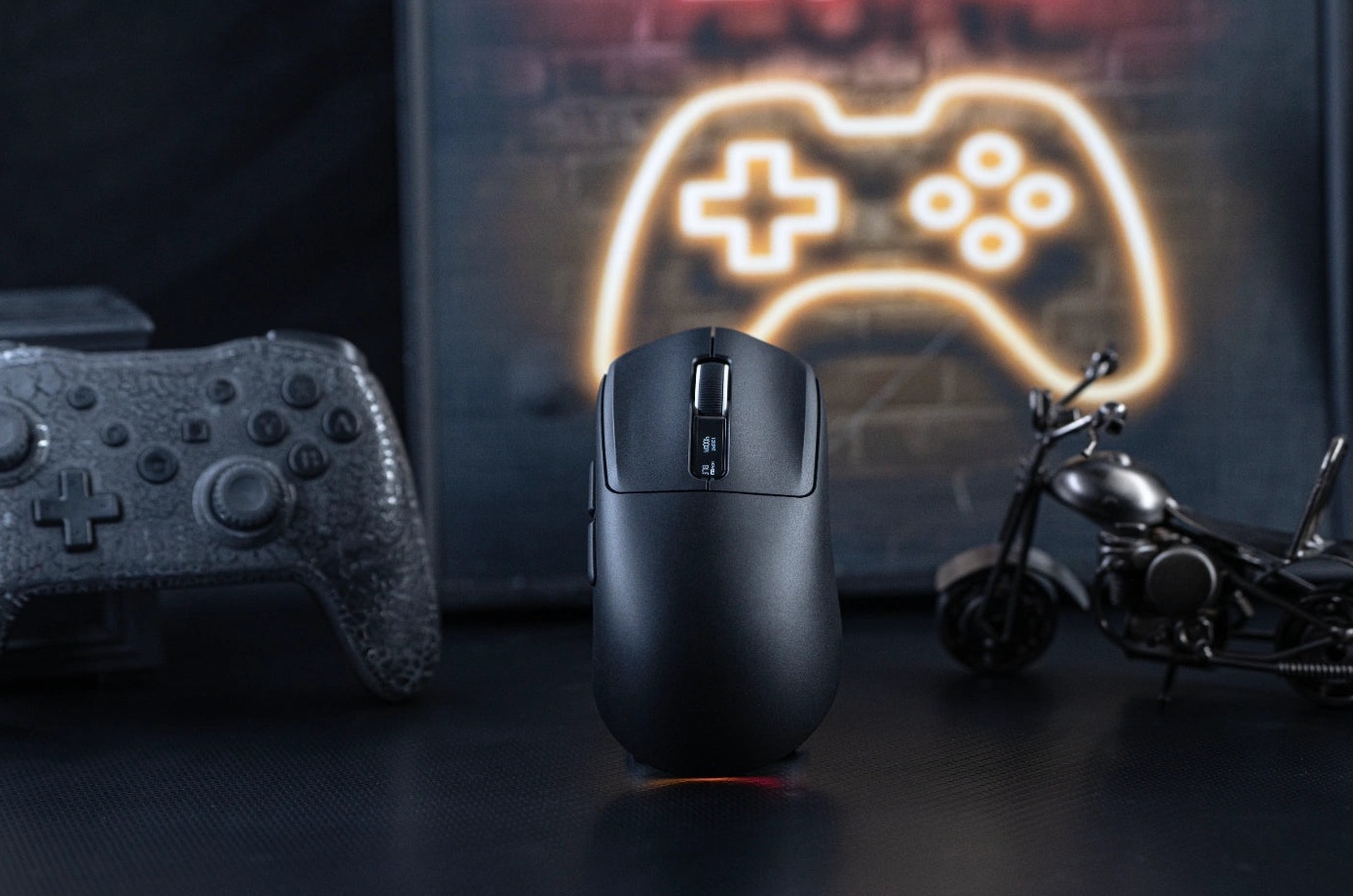
The EPOMAKER Nex Lite is a wireless gaming mouse that takes a very different route compared to the EPOMAKER CarbonX we reviewed a few weeks ago. Here, the focus is not on extreme weight or 8000 Hz, but on a complete package at a low price: tri-mode connectivity, a PixArt PAW3311 sensor, DPI up to 12,000, a 1000 Hz polling rate, and above all two small displays, one on the mouse and one on the charging dock.
On paper, it’s a product designed for those who want a versatile wireless mouse, suitable for both daily work and gaming, without spending significant money. In this review, we tried to understand whether the advertised specifications match real-world performance. The Nex Lite was tested primarily in 2.4 GHz wireless mode and subjected to the same tests performed on the CarbonX using ClickSyncMouseTester v0.6.1, the Windows desktop program dedicated to mouse analysis via Windows Raw Input.
As in the previous review, we will explain not only what we have measured, but above all why that data is important in real-world use.
Note on transparency: The unit reviewed here was provided free of charge by EPOMAKER. The manufacturer had no control over the testing methodology, results, or conclusions of the article.
EPOMAKER Nex Lite: the technical specifications
| Characteristic | EPOMAKER Nex Lite |
|---|---|
| Sensor | PixArt PAW3311 |
| DPI | 400 / 800 / 1600 / 3200 / 5600 / 12.000 (default 1600) |
| Speed and acceleration | 300 IPS, 35 G |
| Polling rate | up to 1000 Hz (cable and 2.4 GHz), 125 Hz (Bluetooth) |
| Connectivity | USB-C, wireless 2.4 GHz with dock, Bluetooth 5.0 |
| Display | OLED of 0.54" on the mouse and on the dock |
| Buttons | 5 programmable, switches with 20 million clicks |
| Battery | 500 mAh |
| Material | ABS plastic |
| Dimensions | 122 × 65 × 42 mm |
| Declared / measured weight | about 65 g / 65.45 g |
| Compatibility | Windows, macOS |
| Colors | white, black, blue, pink |
PART 1 – Aesthetic description, materials and ergonomics
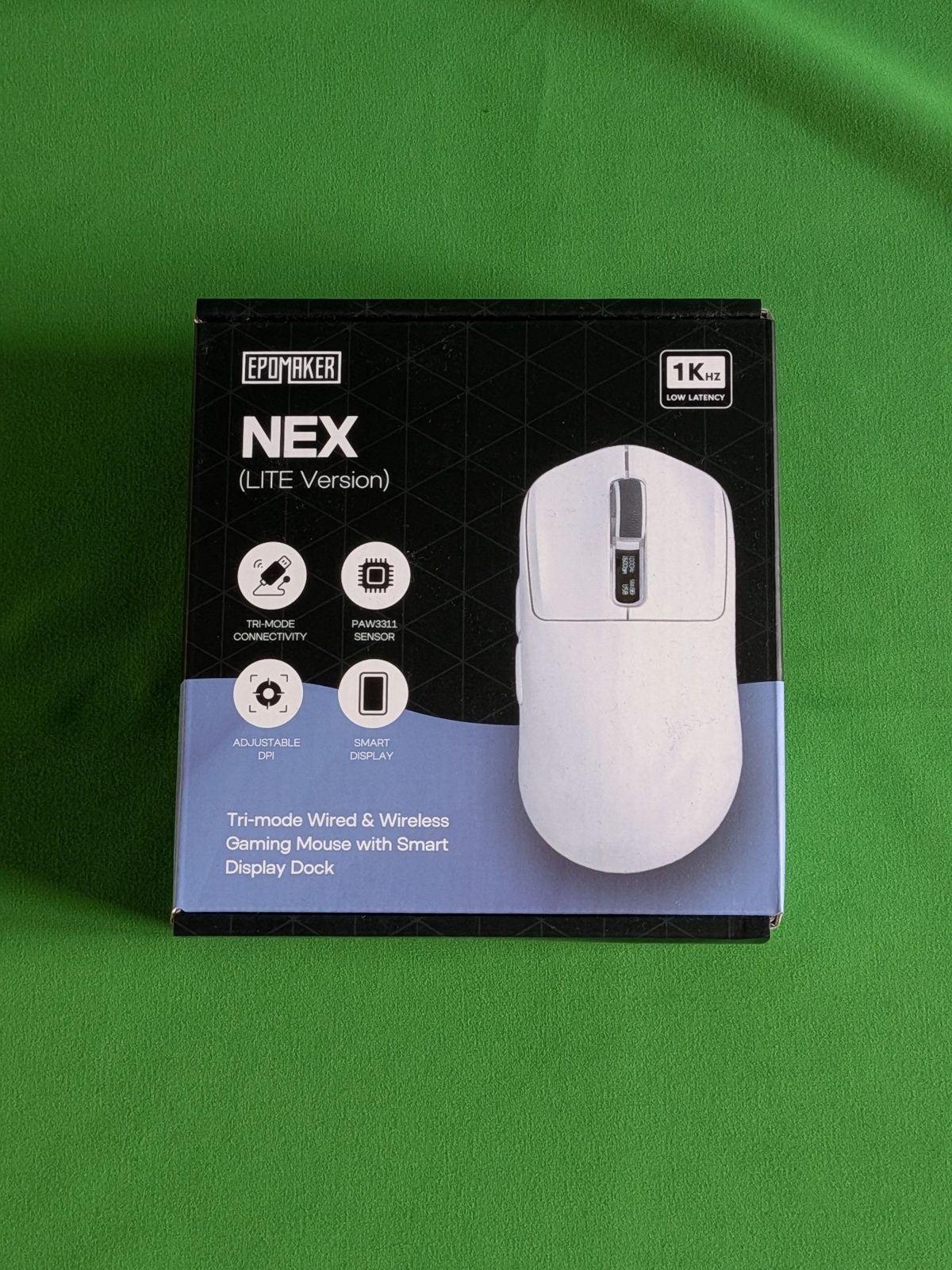
Box and contents: richer than we expected
The Nex Lite arrives in a black and blue packaging that immediately highlights the product’s key features: tri-mode connectivity, PAW3311 sensor, adjustable DPI, and smart display. In the top right corner, the “1K Hz Low Latency” logo clearly establishes its positioning: no 4K or 8K, but a 1000 Hz polling rate.
Inside you’ll find the mouse, the charging dock with an integrated 2.4 GHz receiver, the USB-C charging and data cable, and the manual. Alongside these come two sets of grip tape with a rather original black-and-white design, and a set of replacement wheels, accessories that, at this price, are by no means discounted.
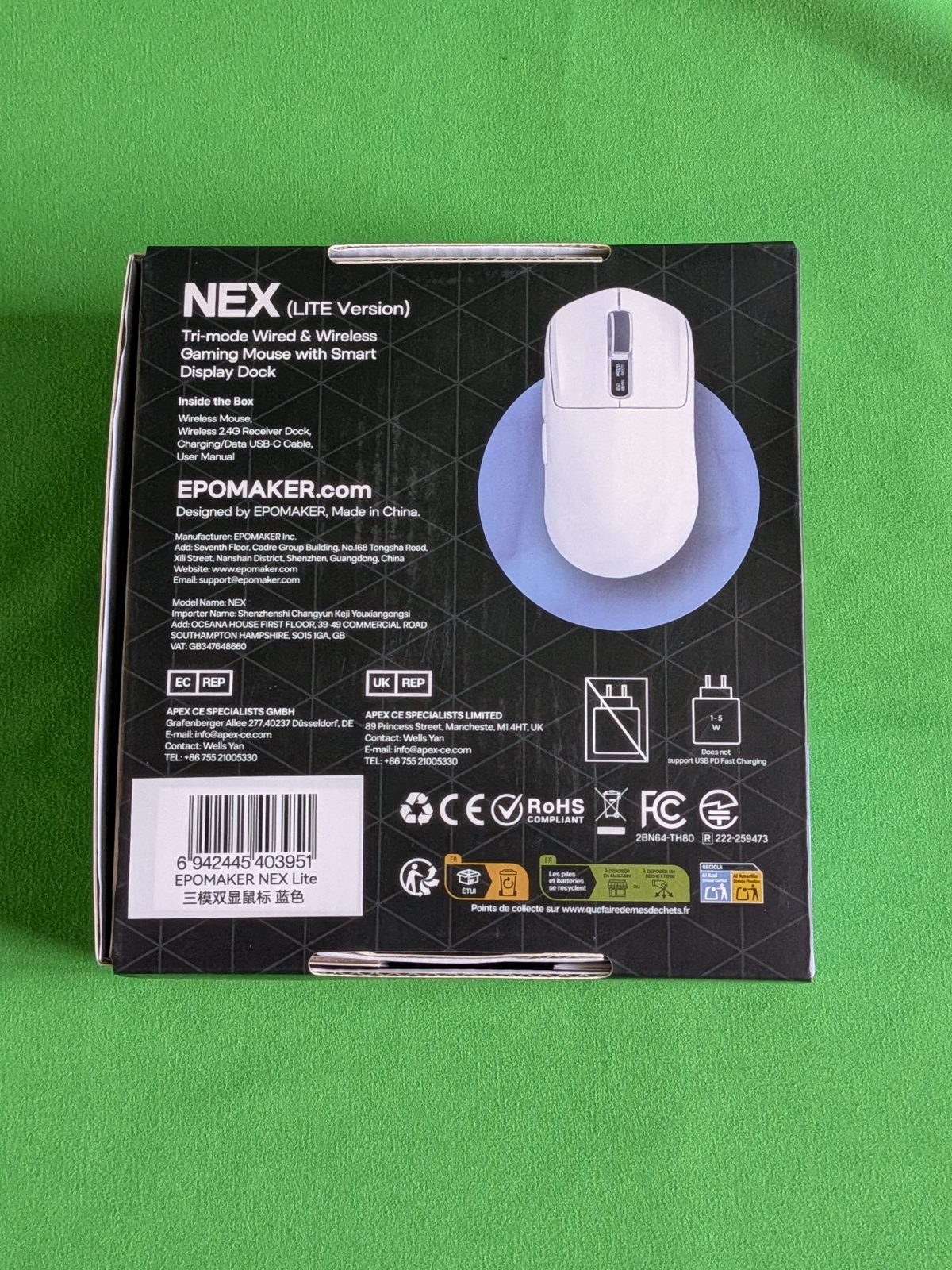
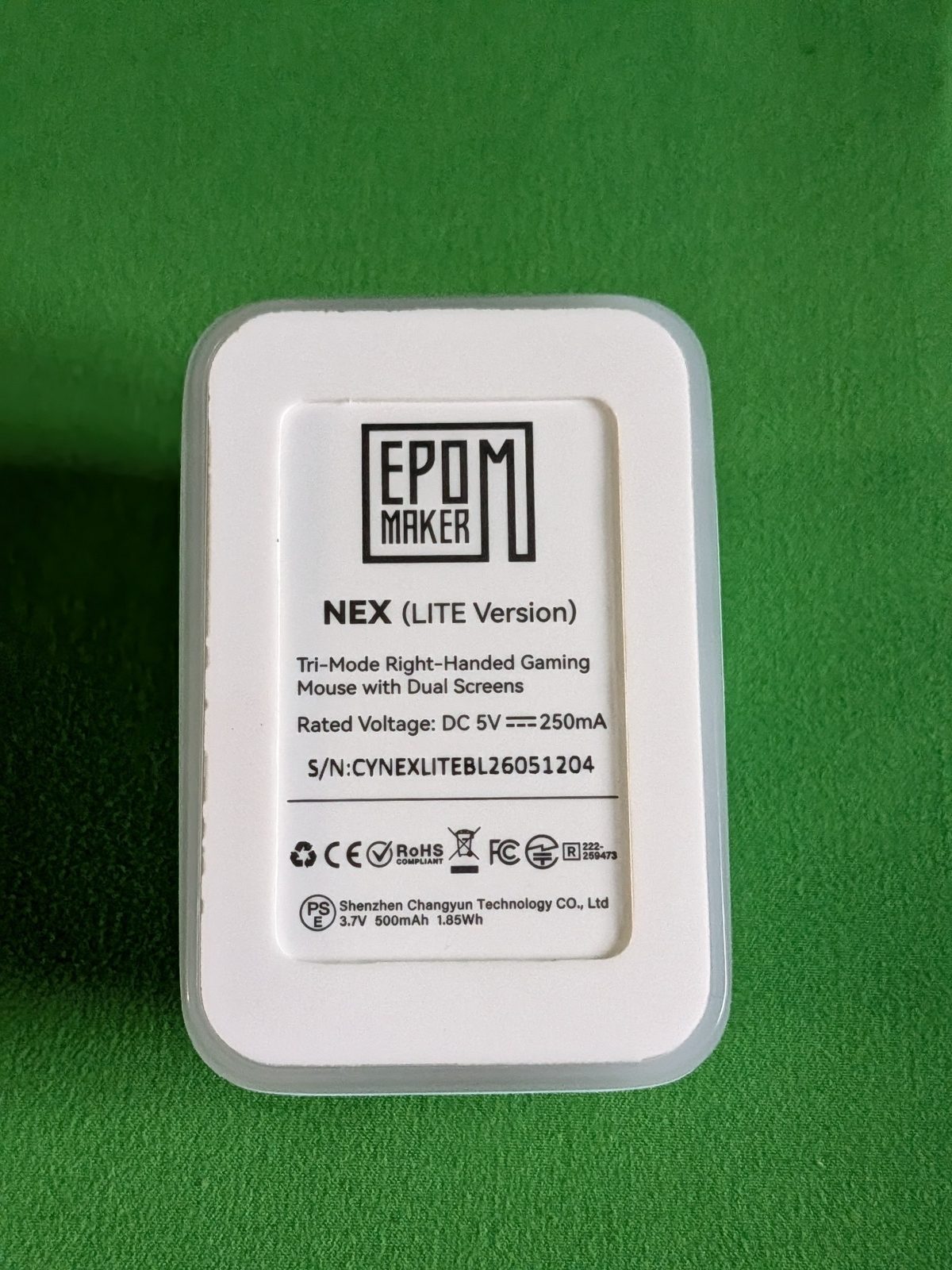
A detail to note concerns charging: on the back of the EPOMAKER packaging, it states that the mouse does not support USB PD fast charging and recommends a power adapter of 1-5 W. In practice, a standard PC USB port is sufficient.
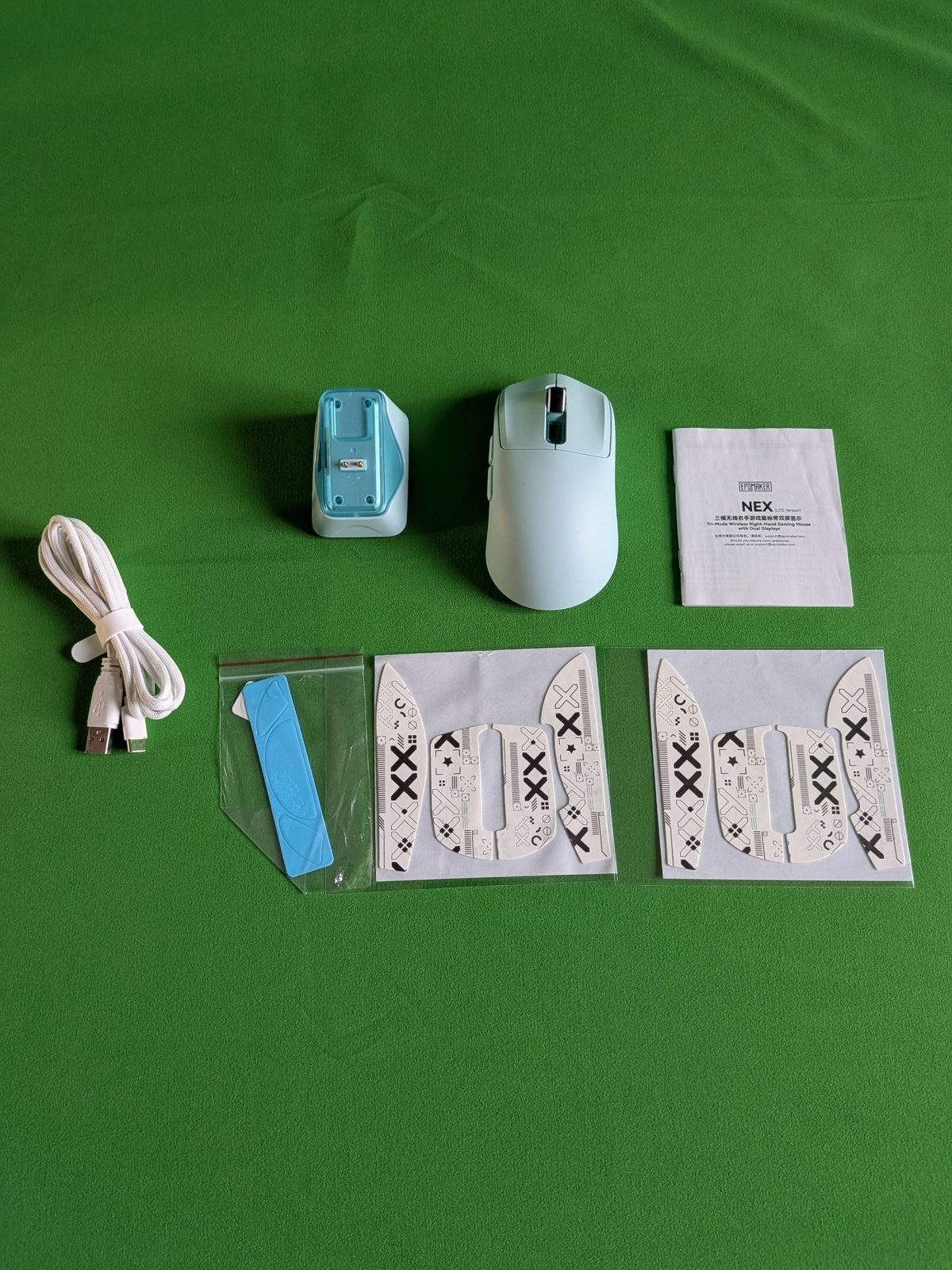
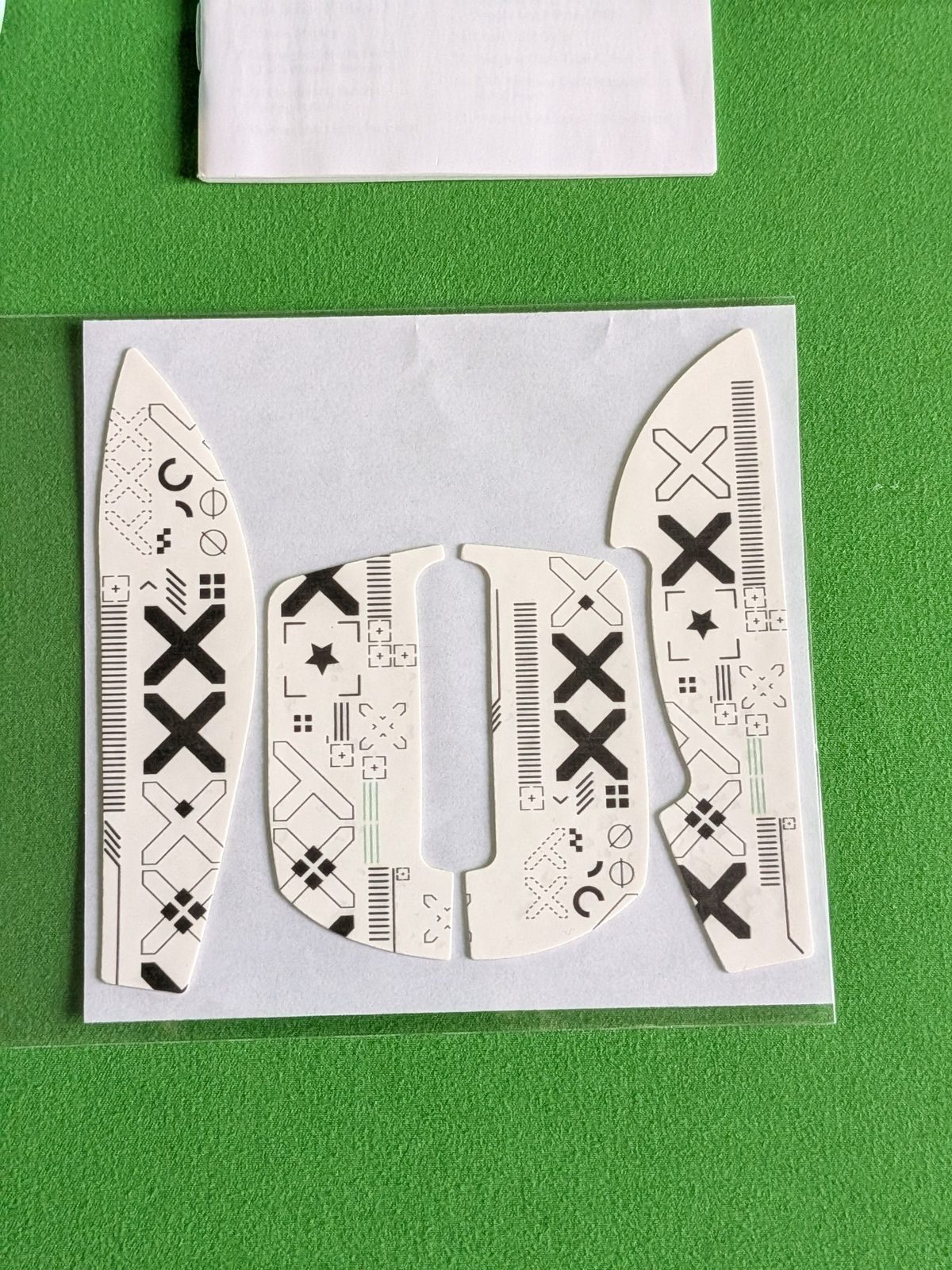
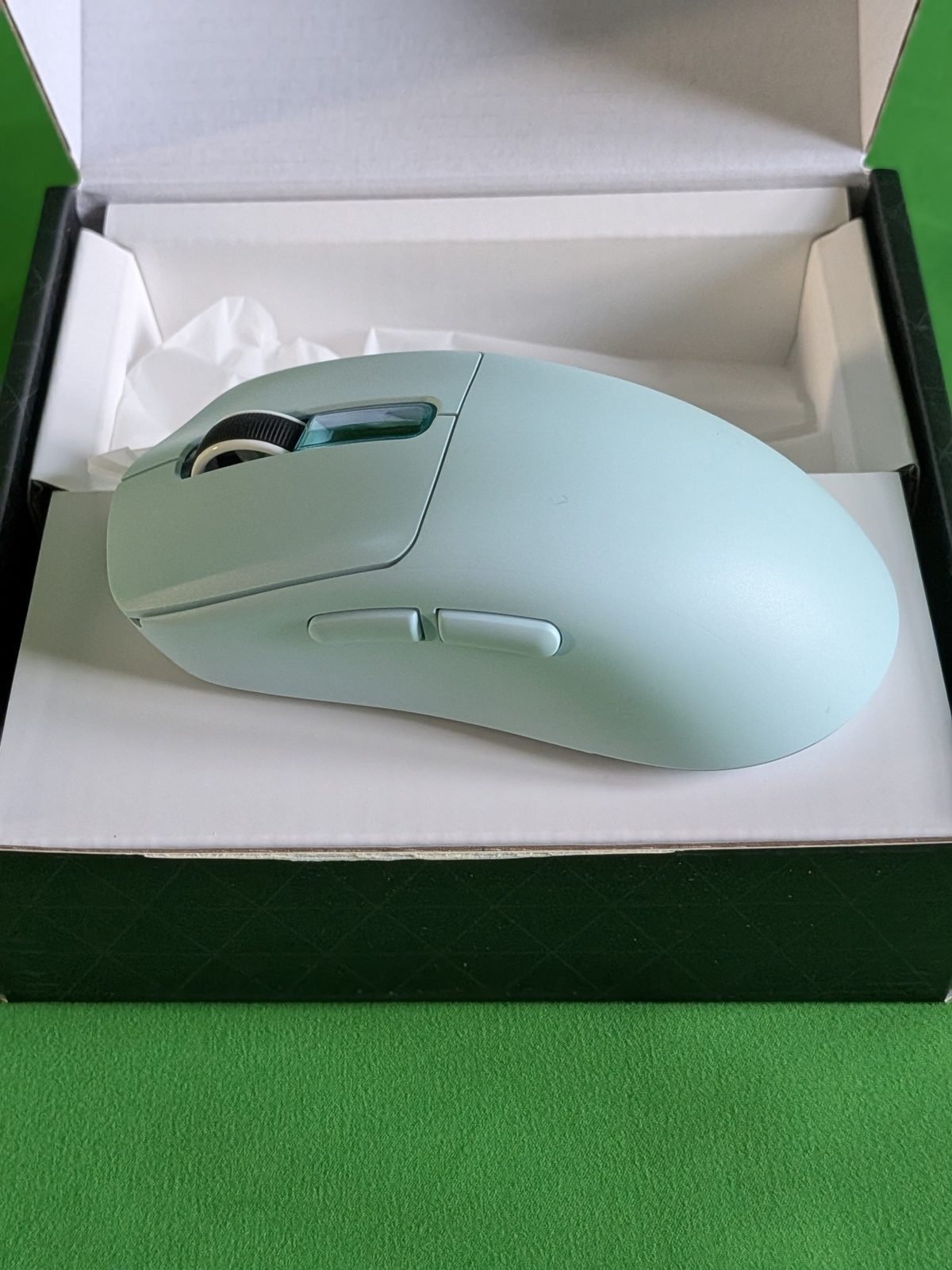
A minimalist, serious and very classic design
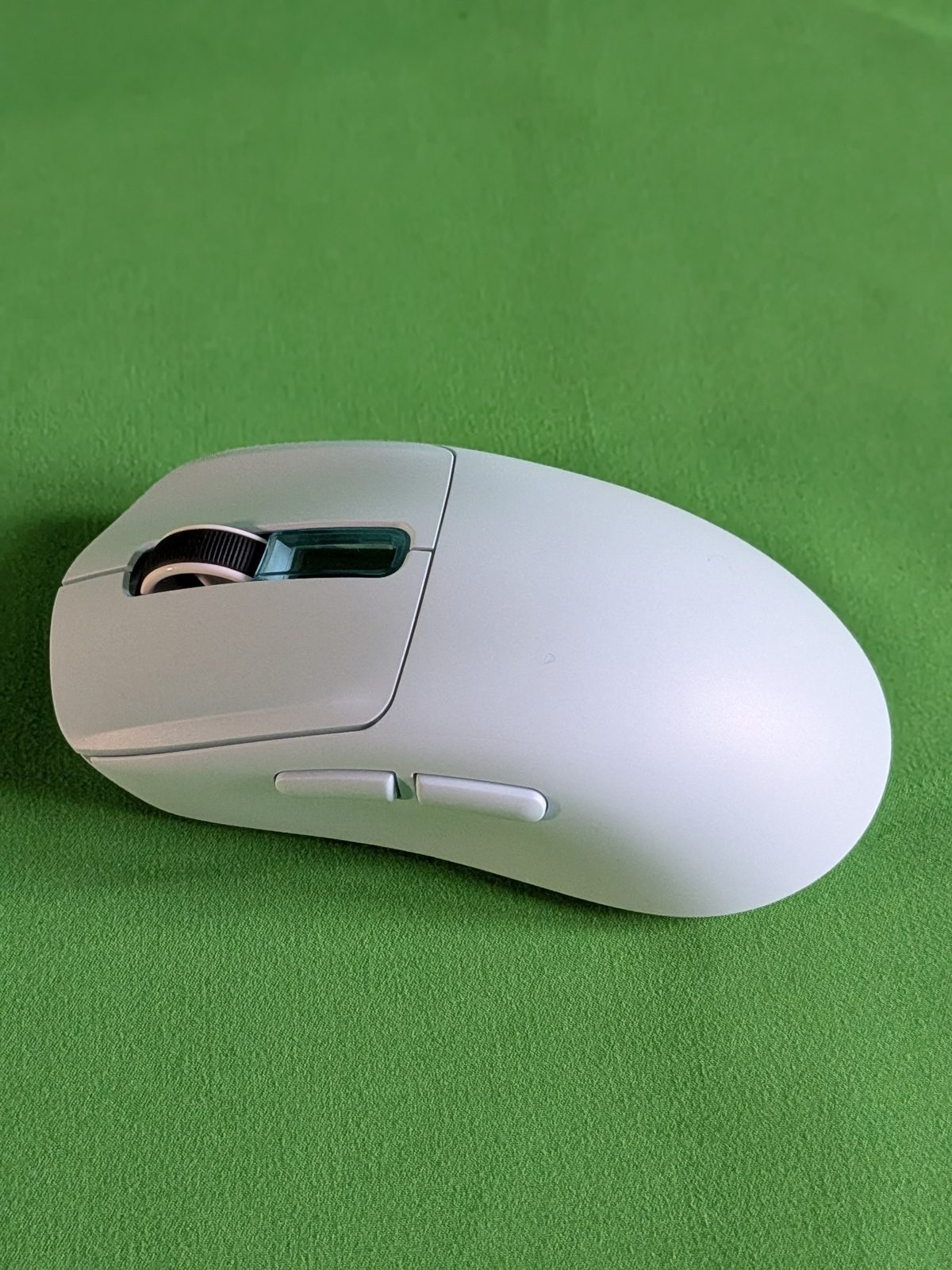
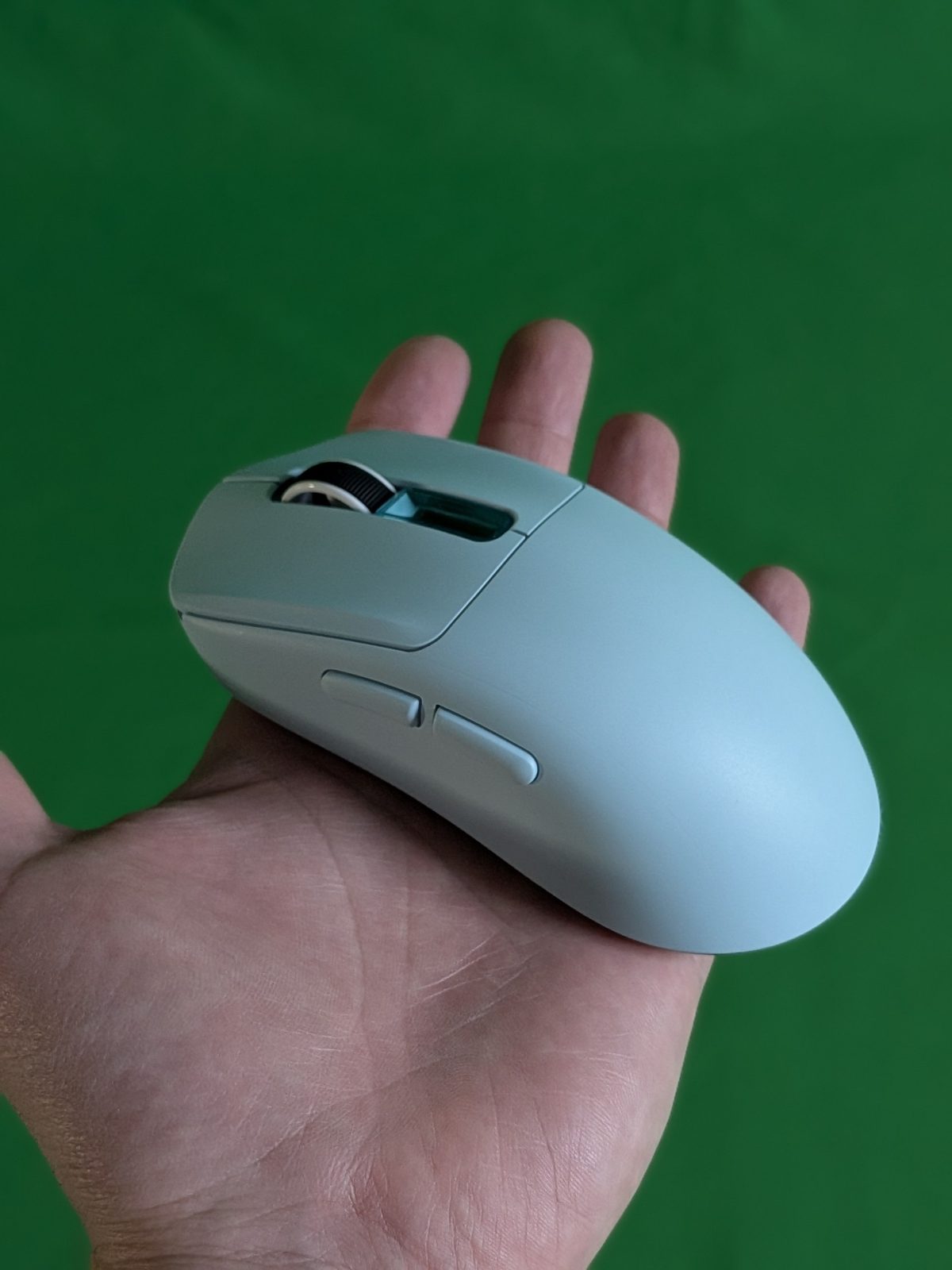
Unlike the CarbonX, the Nex Lite features a fully enclosed casing made of ABS plastic, with no holes or cutouts. Our unit is in a pastel blue finish; EPOMAKER also offers it in white, black, and pink. The overall design is minimalist, serious, and decidedly classic.
By touch, the plastic doesn’t convey a particularly high sense of quality, but the mouse still gives the impression of solidity. Compared to the CarbonX, the finish seemed shinier and more granular.
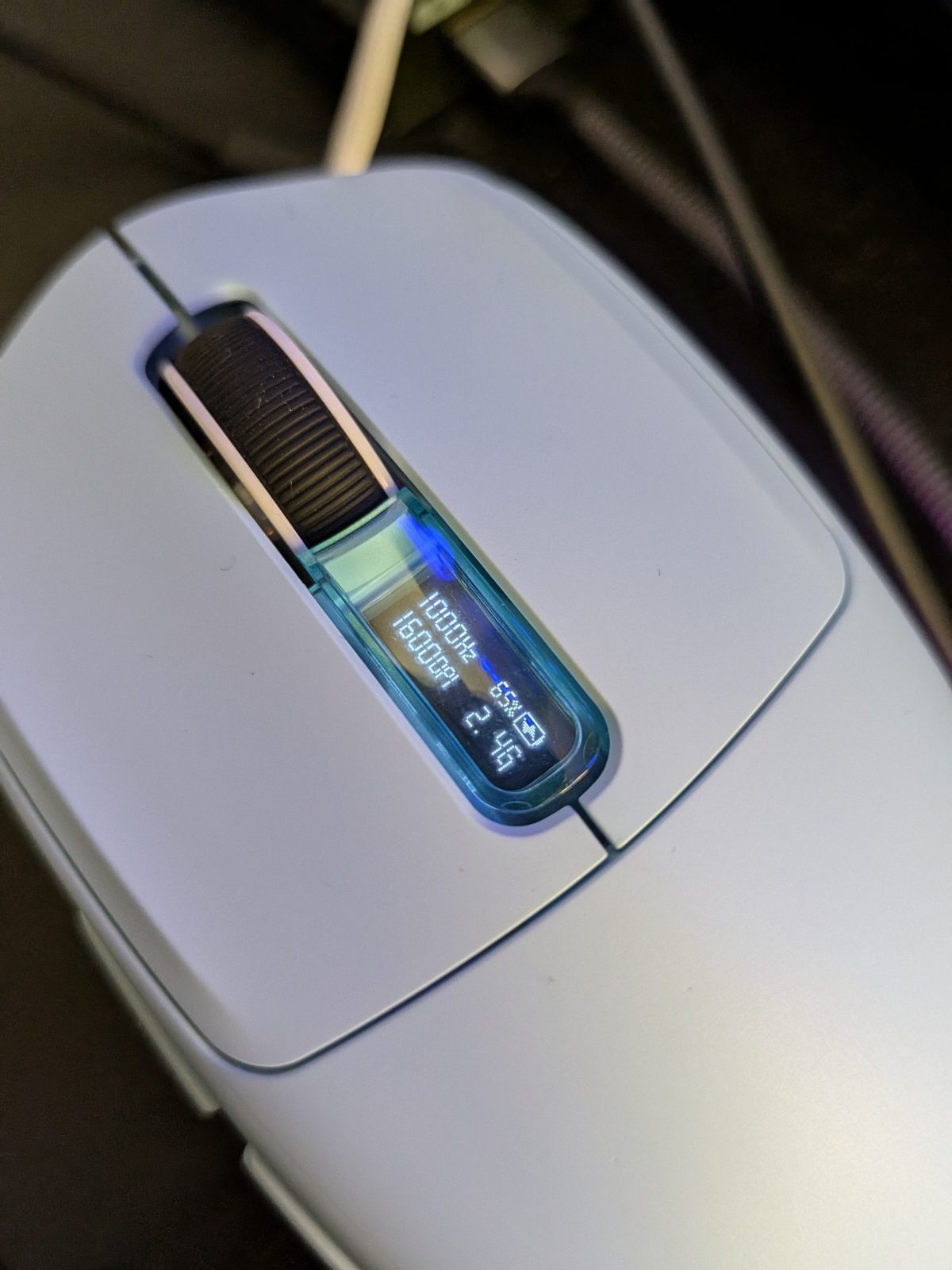
The feature that sets it apart from almost all mice in this price range is the transparent window positioned directly behind the scroll wheel, which houses a small 0.54-inch OLED display.
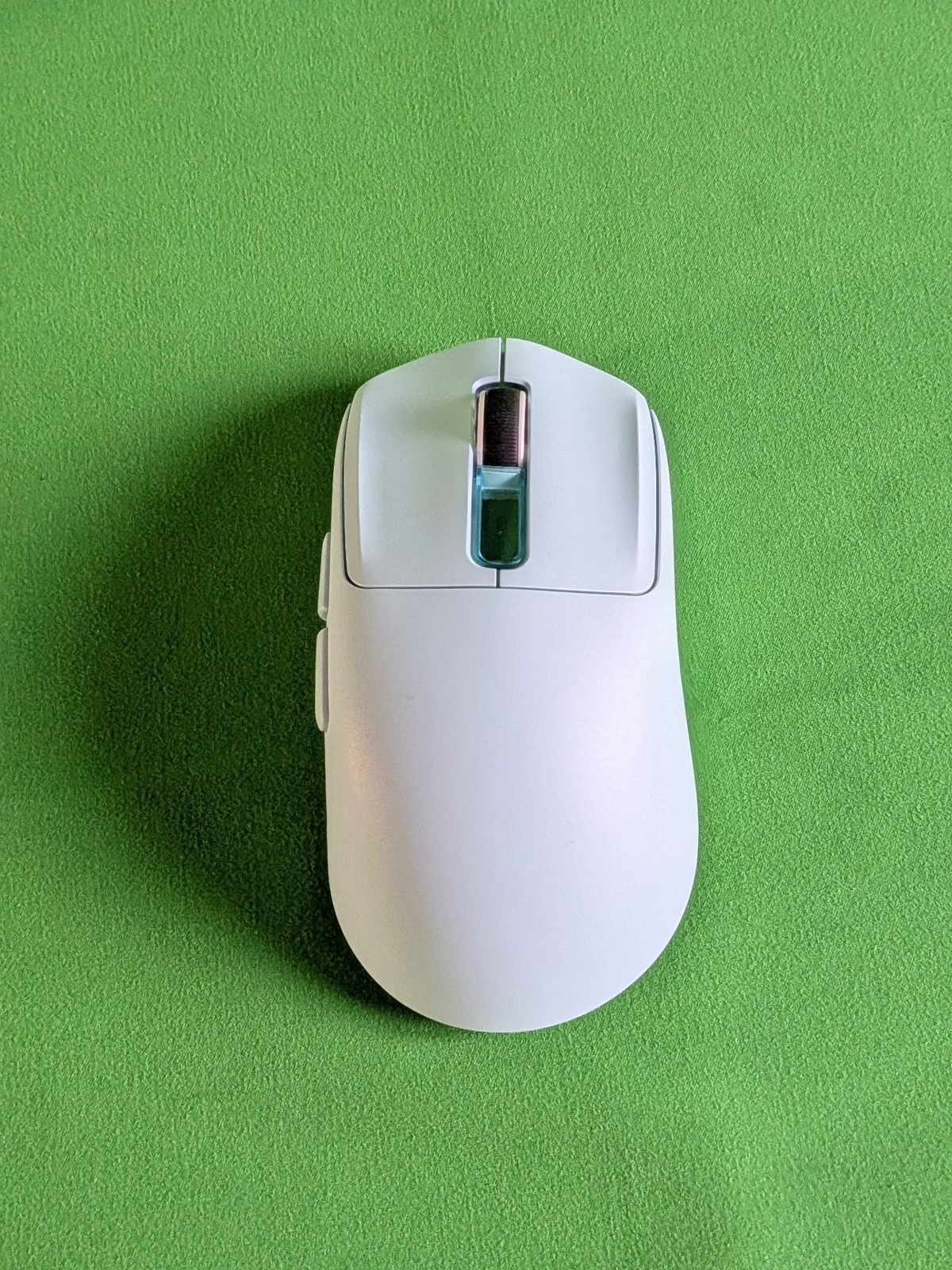
The screen on the mouse: a great idea
The display shows in real time polling rate, DPI, battery level and connection mode: during our test, for example, we read 1000 Hz, 1600 DPI, battery percentage and 2.4G mode. It’s convenient especially when changing DPI via the dedicated button, since you no longer need to remember which colour corresponds to each level.
It’s one of the things we liked most about the Nex Lite: a detail we didn’t expect at this price, which immediately makes it clear how the mouse is configured. To save energy, the screen doesn’t stay on all the time; according to the manual, to reactivate it, you must hold both side buttons down for 10 seconds.
The charging dock: second display and RGB
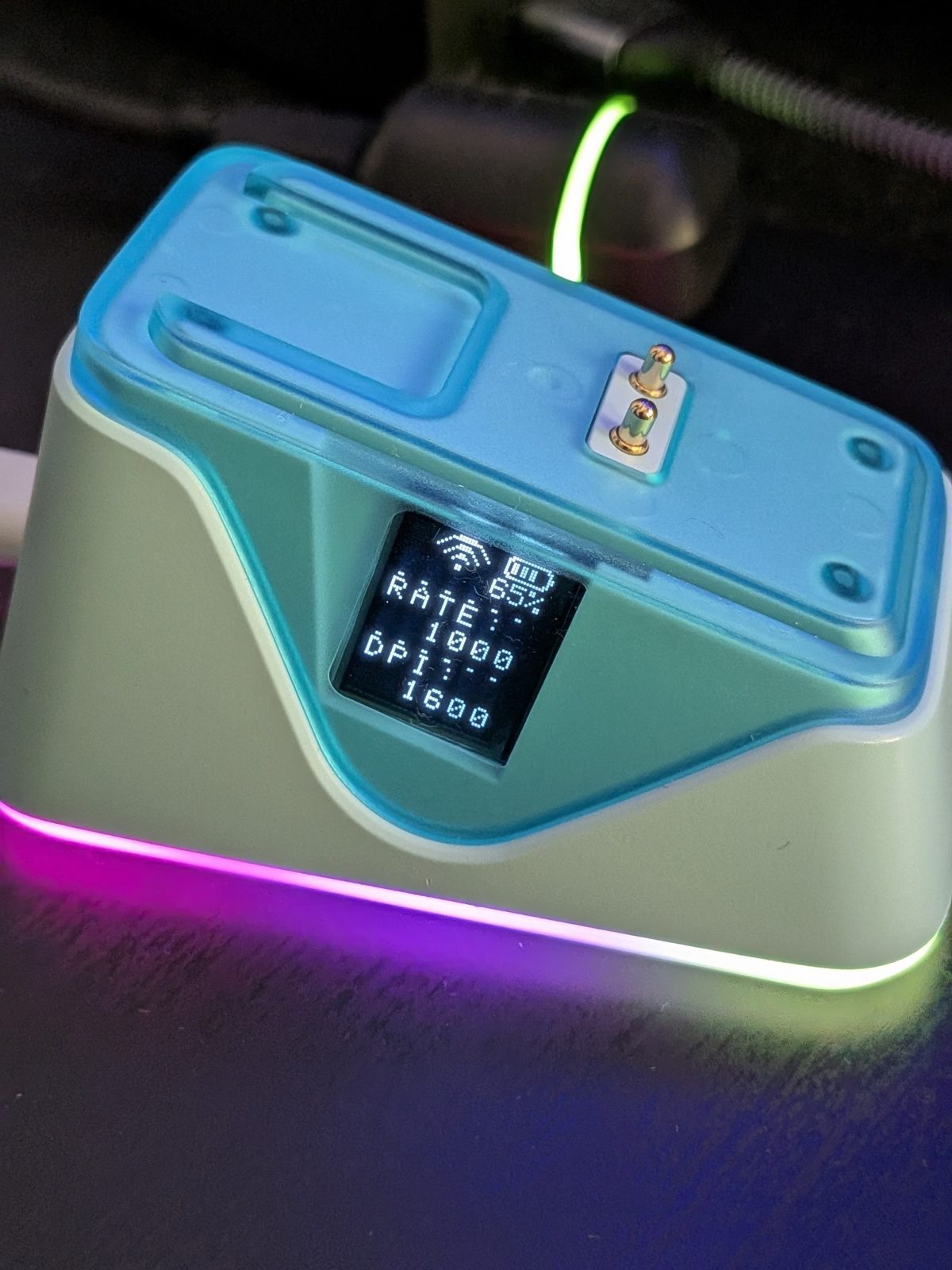
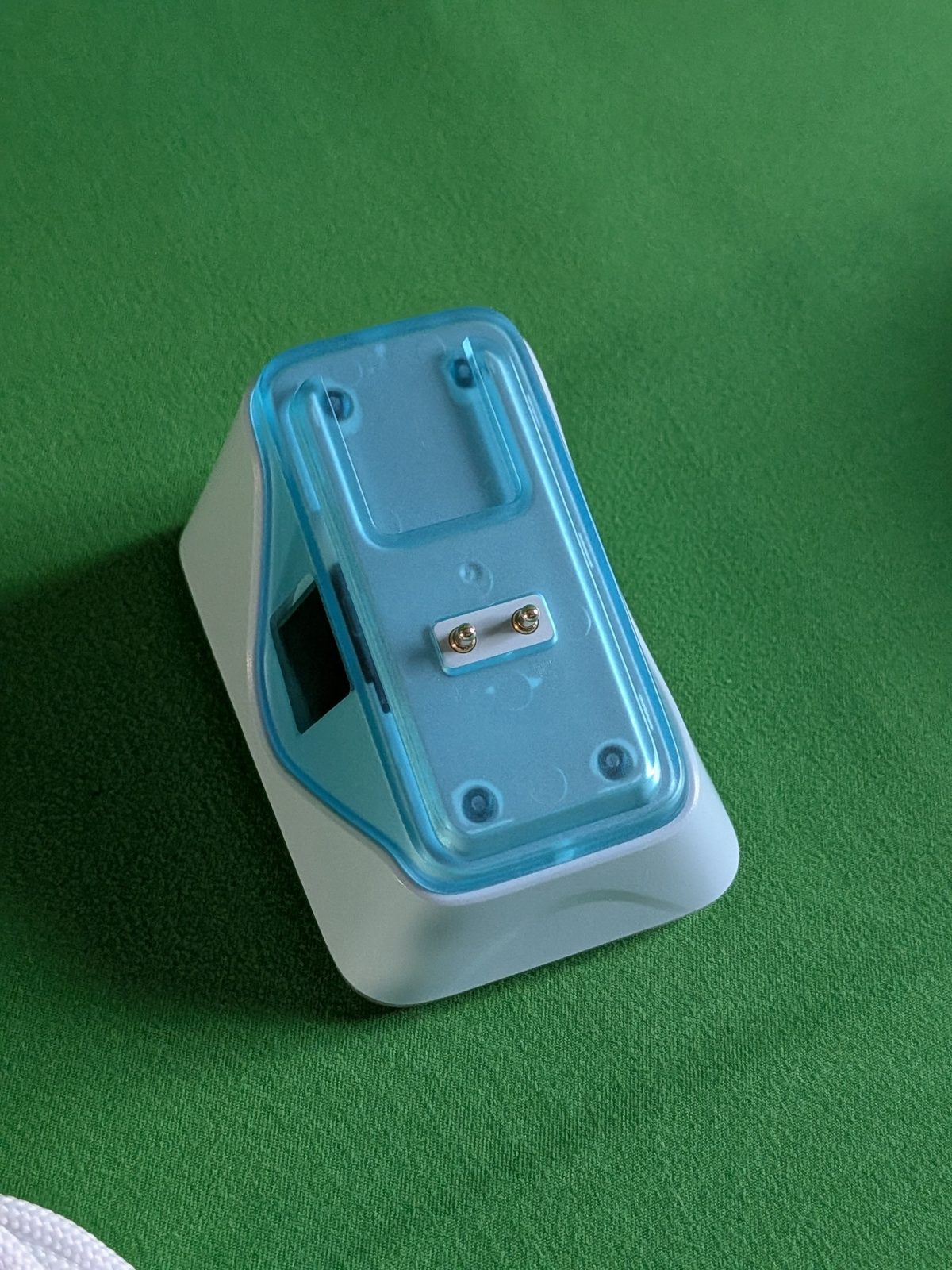
The dock is the most visually striking accessory in the box. It features a transparent blue plastic top, two magnetic contacts for placing the mouse, and an RGB light strip at the base. On the front there is a second display that shows connection mode, battery level, polling rate, and DPI.
The dock also includes the 2.4 GHz receiver: the mouse charges simply by placing it on top, without connecting the cable. A brief press on the touch point changes the effect of the light strip, a long press turns it on or off; the dock’s light cannot be customised via software.
The result is very “swag”: RGB lights and the charging system are stylish and make their mark on the desk. The dual display, on the mouse and the dock, is, in our view, the product’s true strength.
Real weight: 65.45 grams on a precision scale
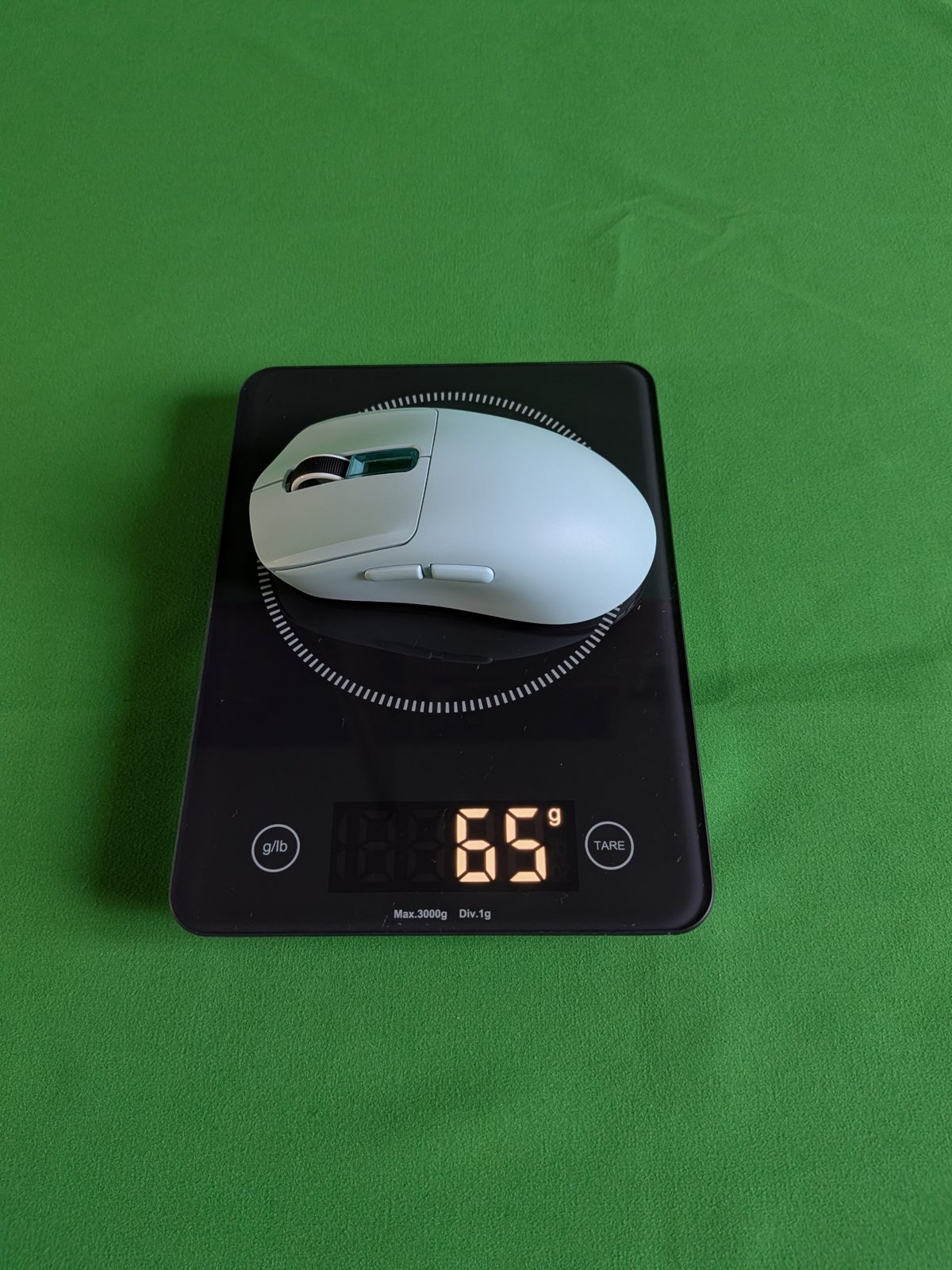
EPOMAKER weighs approximately 65 grams. With a precision scale, our unit recorded 65.45 grams, perfectly matching the official figure. The dock, without cable, weighs 56.36 grams.
Not as ultralight as the CarbonX (45.91 grams), but 65 grams remain a reasonable weight for a wireless mouse with a closed shell, a 500 mAh battery, and an integrated display. Compared to a traditional mouse weighing 80-100 grams, the difference is still noticeable. Here too, no interchangeable weights are present.
Dimensions, shape and grip
The official dimensions are 122 × 65 × 42 mm. Unlike the CarbonX, the Nex Lite has an asymmetric shape designed for the right hand, with the back supporting the palm and two side buttons on the left. EPOMAKER recommends it for medium-to-large hands.
The grip is exactly that of the most classic mice, and therefore ergonomic like they are: no surprises, either good or bad.
Rollers and smoothness
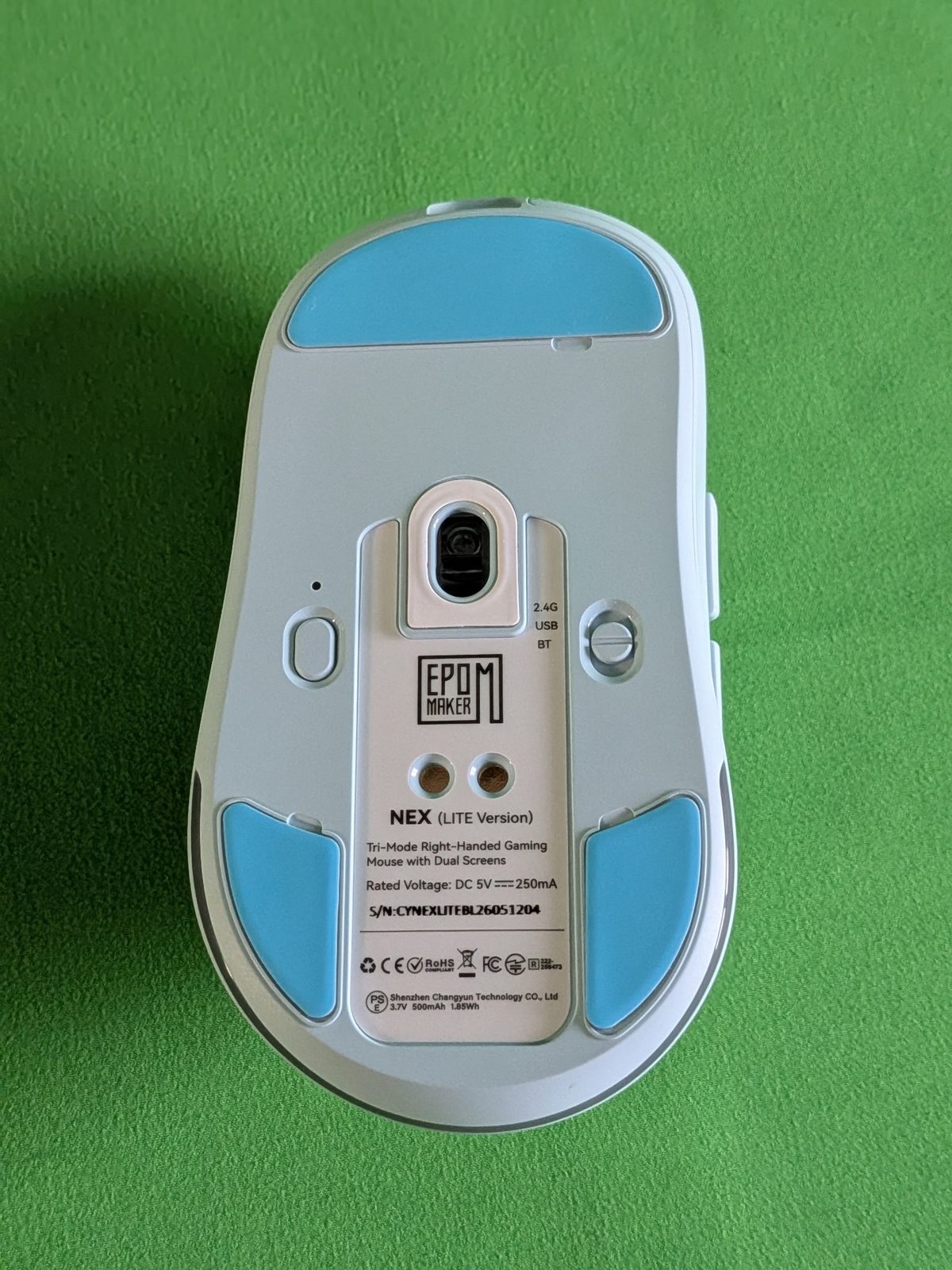
In the background we find three blue wheels: one large in the front and two on the rear sides, around the sensor. EPOMAKER does not specify the material in the technical sheet, and a spare set is included in the packaging. The smoothness on the mat is good and does not give unpleasant sensations.
In the background you’ll also find the connection mode selector (2.4G, cable, Bluetooth), the DPI and pairing button, the connection indicator, and the two metallic contacts for charging via the dock.
Click, side buttons and scroll wheel: here you feel the price
The Nex Lite has five programmable buttons: the two main ones, the clickable scroll wheel, and the two side ones. EPOMAKER claims a durability of 20 million clicks for the main switches, without specifying the type.
It’s the aspect in which the Nex Lite most clearly shows its price range. The click of the main and side keys feels a bit crunchy and unrefined, far from the feel that had convinced us on the CarbonX. The scroll wheel is pleasant to rotate, but it’s very classic, typical of an entry-level mouse.
Connectivity: versatile, but with a doubt
The Nex Lite supports three connection modes: USB-C, wireless 2.4 GHz via the dock and Bluetooth 5.0. Via cable and 2.4 GHz, it operates up to 1000 Hz; via Bluetooth, it drops to 125 Hz. The switch on the bottom allows you to toggle between modes, and the status LED changes colour: green for 2.4 GHz, red via cable, blue via Bluetooth.
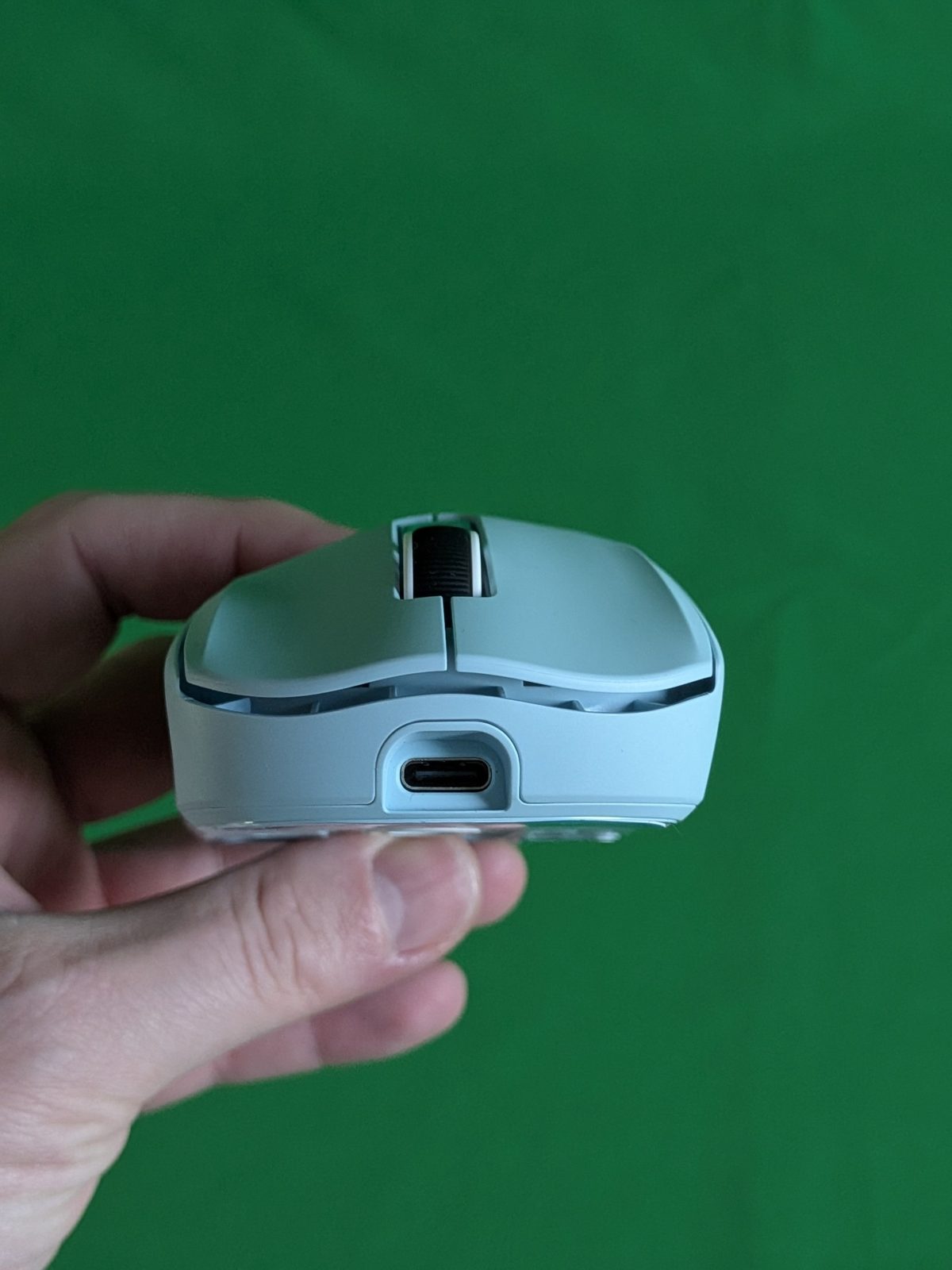
Versatility is excellent, but it leaves some confusion for mobile use. The 2.4 GHz receiver is integrated into the dock: on a train, in an airplane, or on a desk that changes frequently, you’ll need to carry the base along, or fold back to Bluetooth at 125 Hz.
PART 2 – Technical description and all our tests
First of all: what are DPI, CPI, and polling rate?
DPI and CPI are often used interchangeably and indicate how much the cursor moves in relation to the physical movement of the mouse: increasing the value means smaller hand movements are sufficient to cover a greater distance on the screen.
The polling rate, expressed in Hertz, indicates how many times per second the mouse can send an update to the computer. At 1000 Hz, the mouse can send a report every millisecond. It is the maximum value of the Nex Lite and, even today, the standard for the vast majority of gaming mice.
PixArt PAW3311 sensor: honest specs for the price range
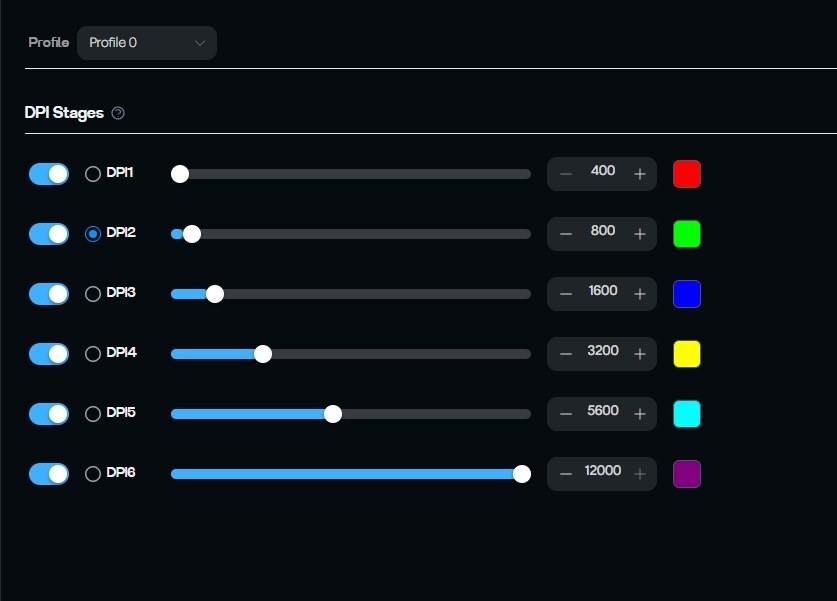
The heart of the Nex Lite is the PixArt PAW3311. EPOMAKER claims up to 12,000 DPI, 300 IPS maximum tracking speed, and 35 G of acceleration. The pre-set DPI levels are six: 400, 800, 1600, 3200, 5600, and 12,000, with 1600 as the default value.
It’s not a high-end sensor like the CarbonX PAW3950, but 300 IPS equates to about 7.6 metres per second, a speed that is rarely achieved in real-world use. In this case, we’ve primarily worked at 1600 CPI, a sensitivity much more representative of everyday use.
The program used for testing: ClickSyncMouseTester v0.6.1
For consistency with the CarbonX review, we used the same tool: ClickSyncMouseTester v0.6.1, an open-source Windows project developed by Nuitfanee, which analyses the mouse via Windows Raw Input. The same premises apply: the results describe what Windows actually receives from the mouse on our PC, they are not an electronic certification of the USB controller. All tests were performed wirelessly at 2.4 GHz, where the program recognises the mouse as “YXT Epomaker Nex LITE 2.4G”.
The software: EPOMAKER Hub via browser
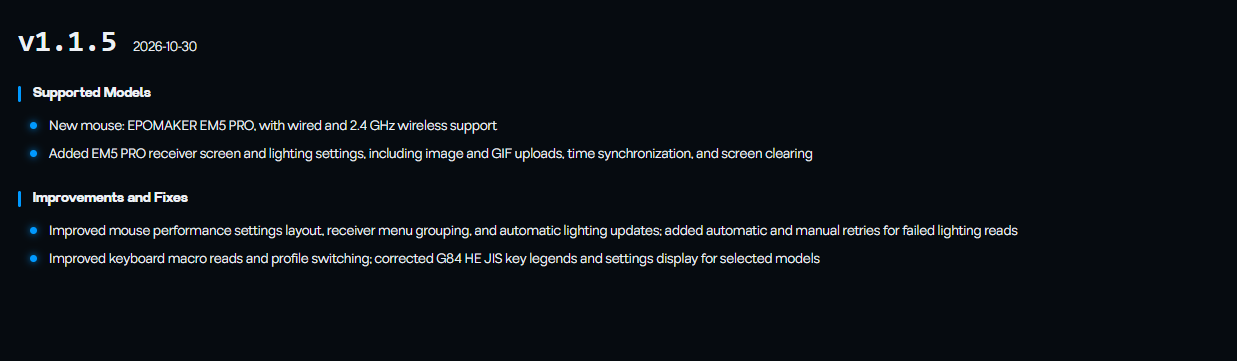
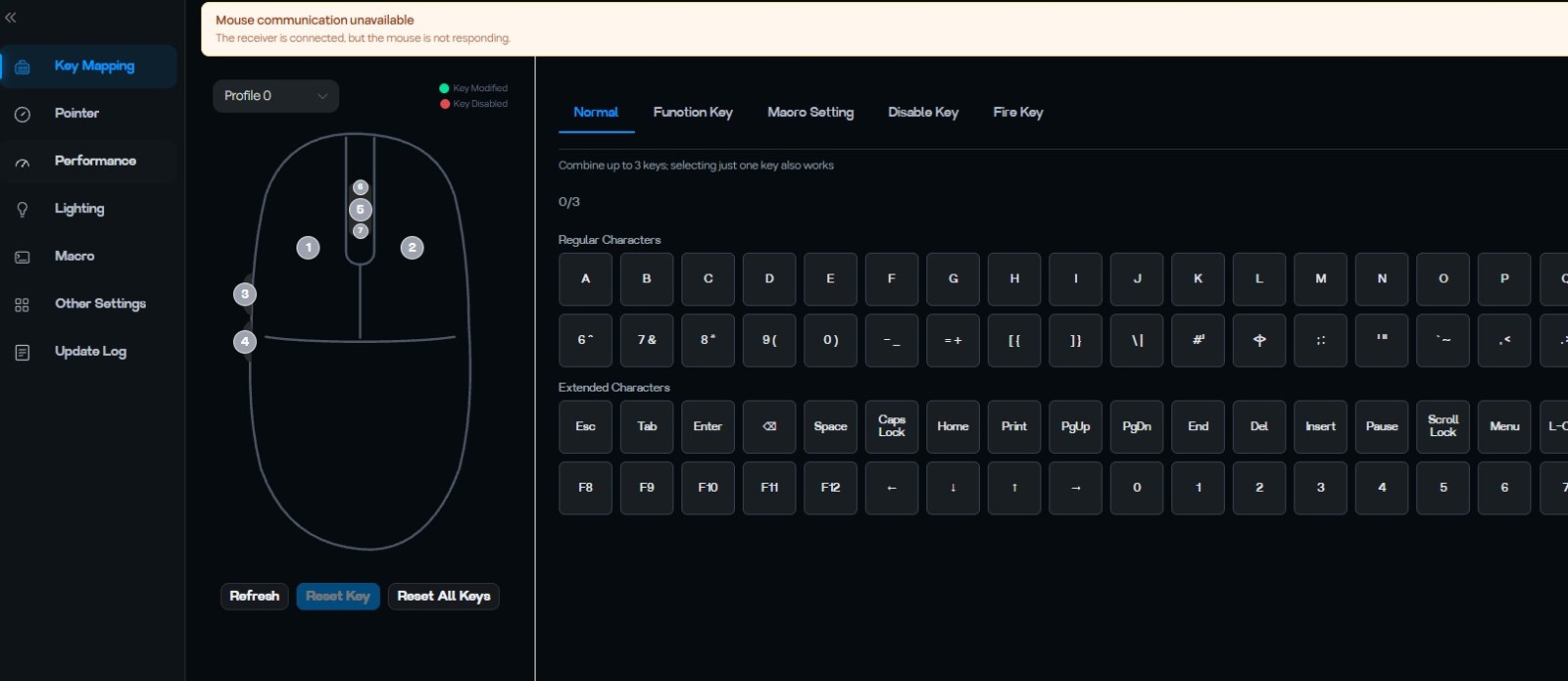
The Nex Lite is configured via EPOMAKER’s web software, to be used with a Chromium-based browser. During our test, we used version 1.1.5, released on 30 October 2026, which among its new features includes an improved layout for mouse performance settings. The settings are saved in the mouse’s internal memory, so there’s no need to leave background programs running.
The menu is divided into seven sections:
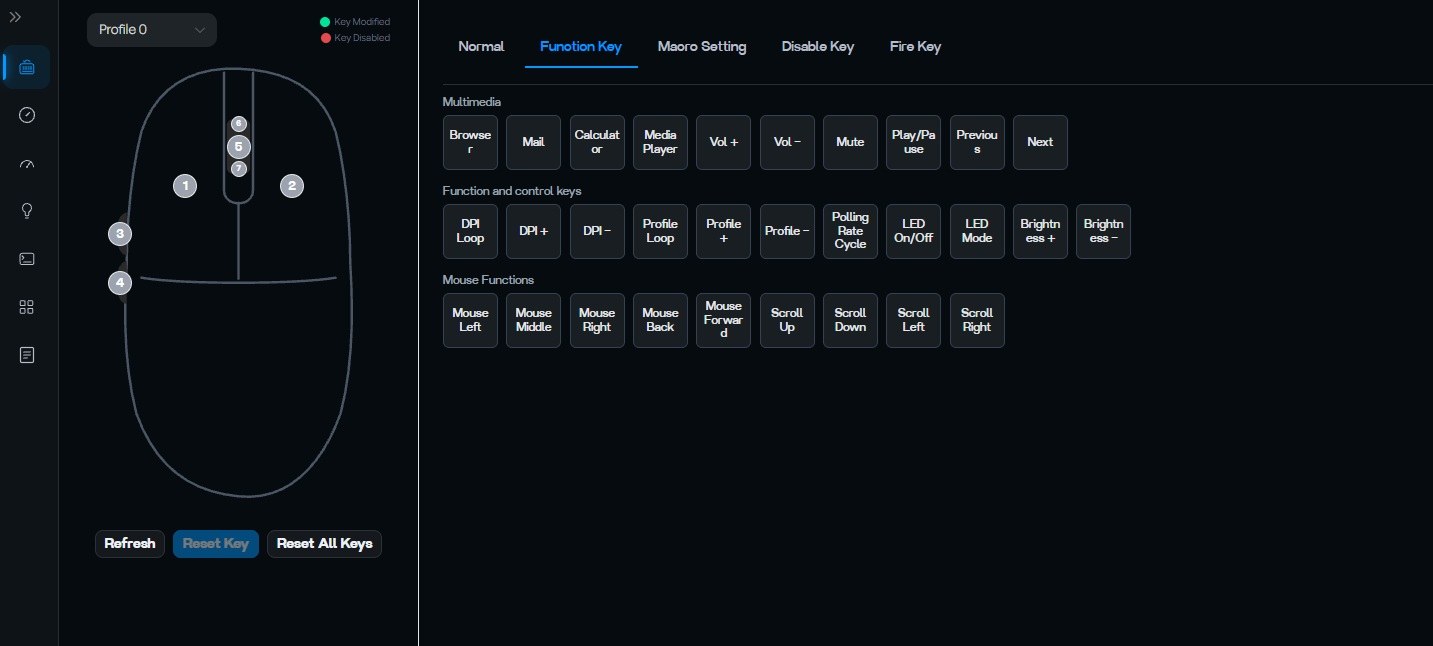
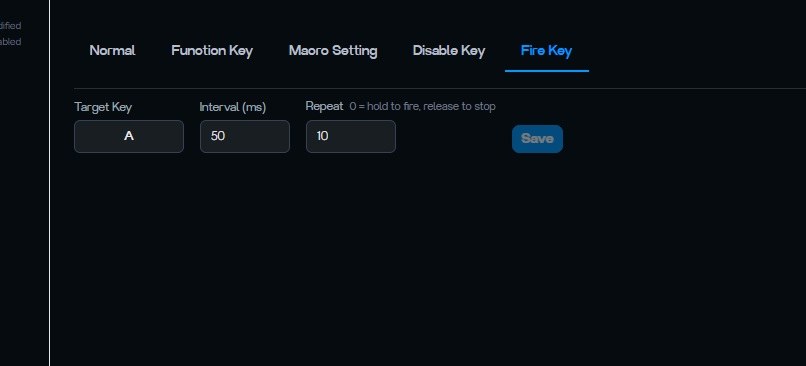
- Key Mapping: mapping of buttons to multimedia functions, system commands, up to three-button combinations, macros, button disabling, and the Fire Key function, which automatically repeats a key with customizable interval and repetition count;
- Pointer: the six DPI levels, each activatable or deactivatable and associated with a colour;
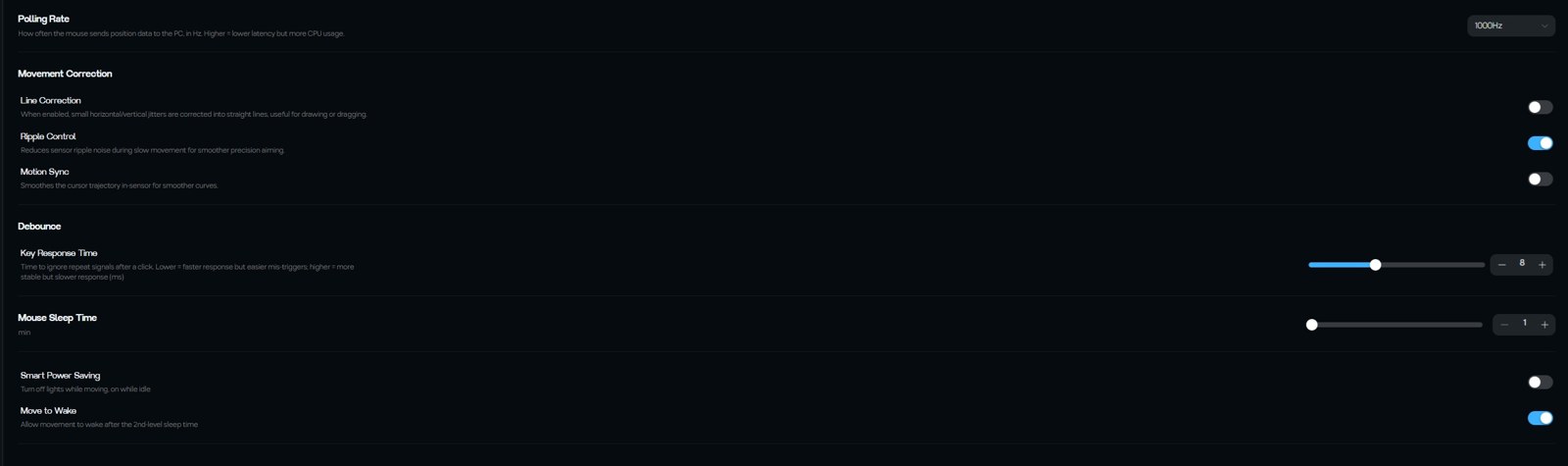
- Performance: polling rate (125, 250, 500 and 1000 Hz), Line Correction, Ripple Control, Motion Sync, Key Response Time, suspension time, Smart Power Saving and Move to Wake;
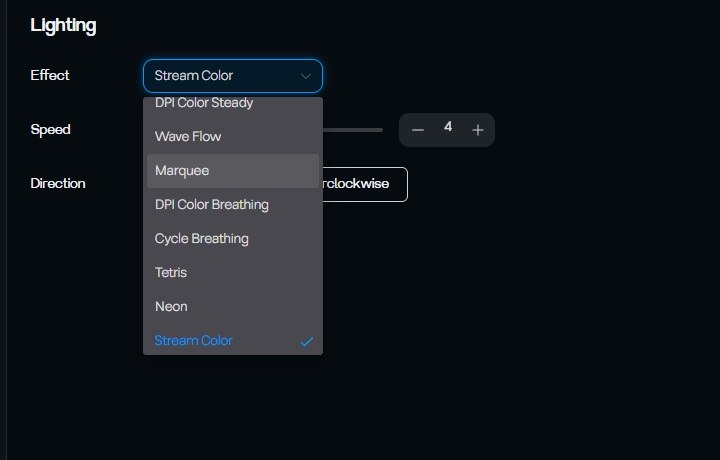
- Lighting: eight effects for the mouse’s LED strip, with adjustable speed and direction;
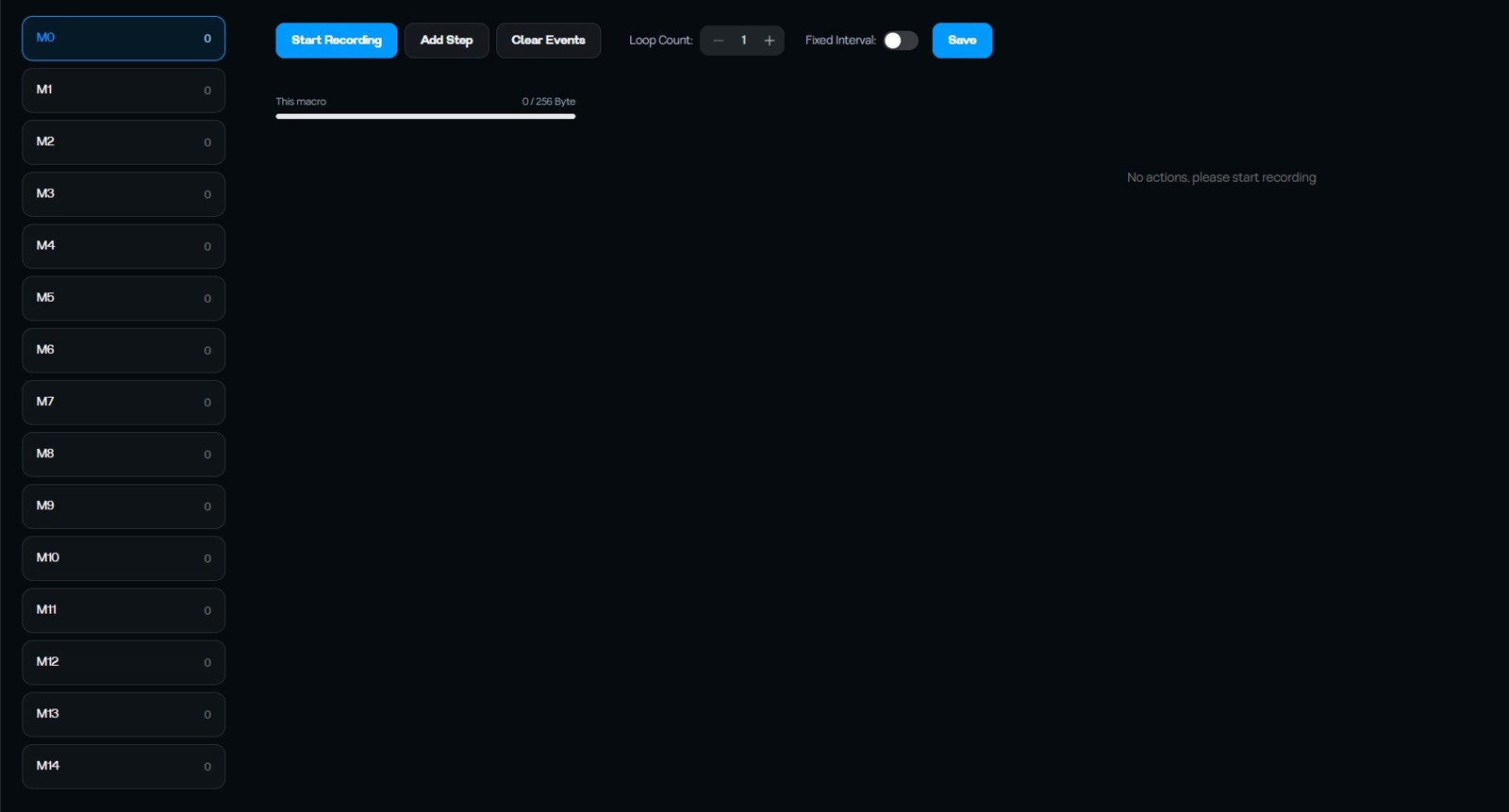
- Macro: 15 slots (from M0 to M14) with recording, manual step addition, and repetition count;
- Other Settings and Update Log.
For a mouse in this price range, the number of options is considerable: Ripple Control, Motion Sync and adjustable debounce were, until recently, features reserved for more expensive products. However, as we’ll see, the Lift-Off Distance adjustment is missing.
Polling rate: all frequencies respected
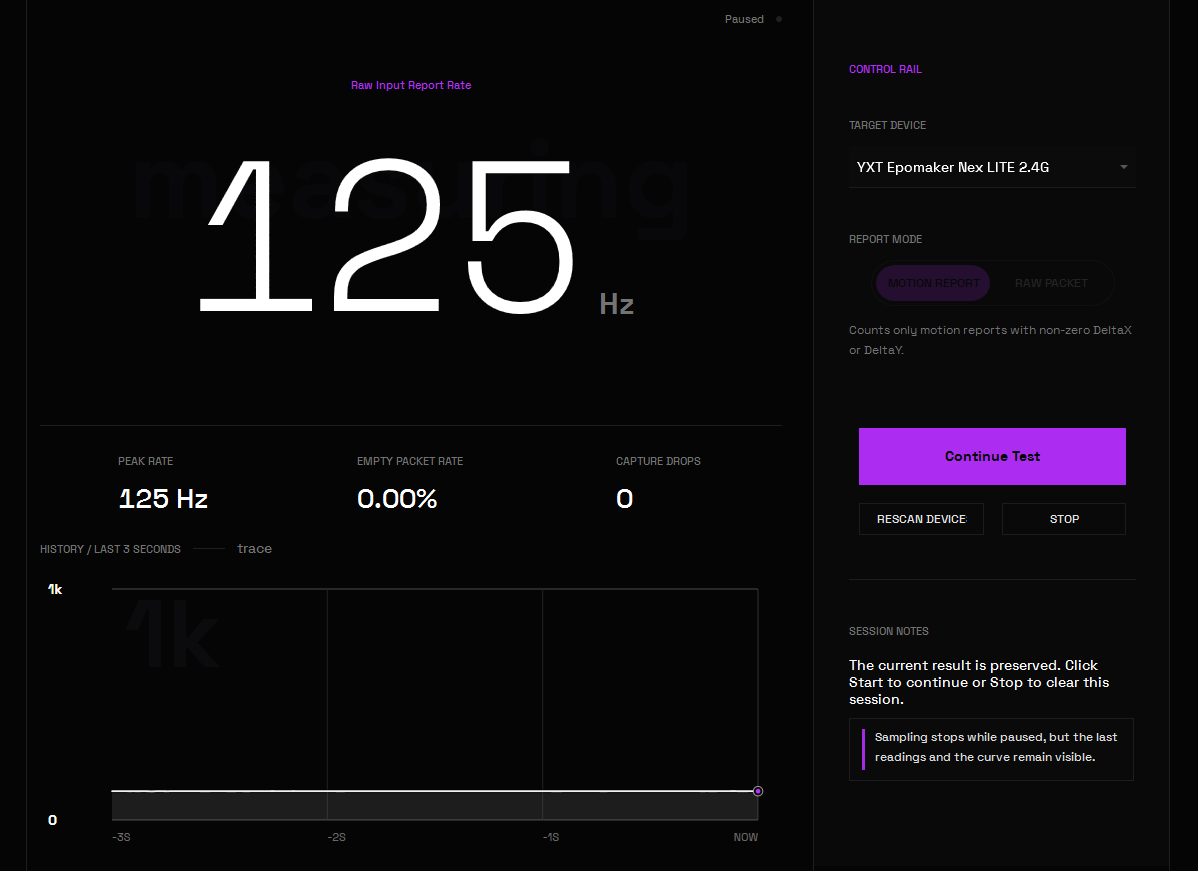
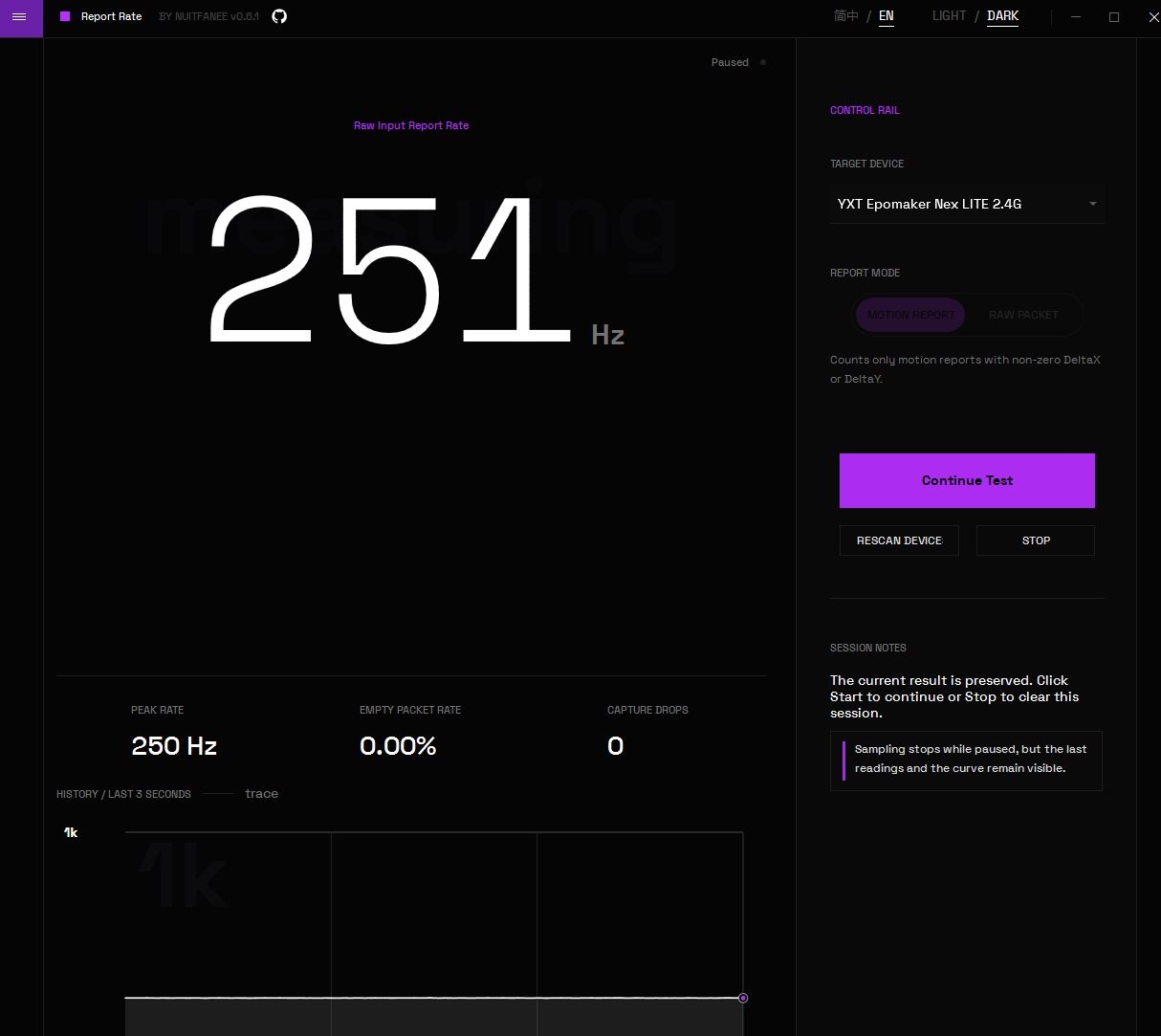
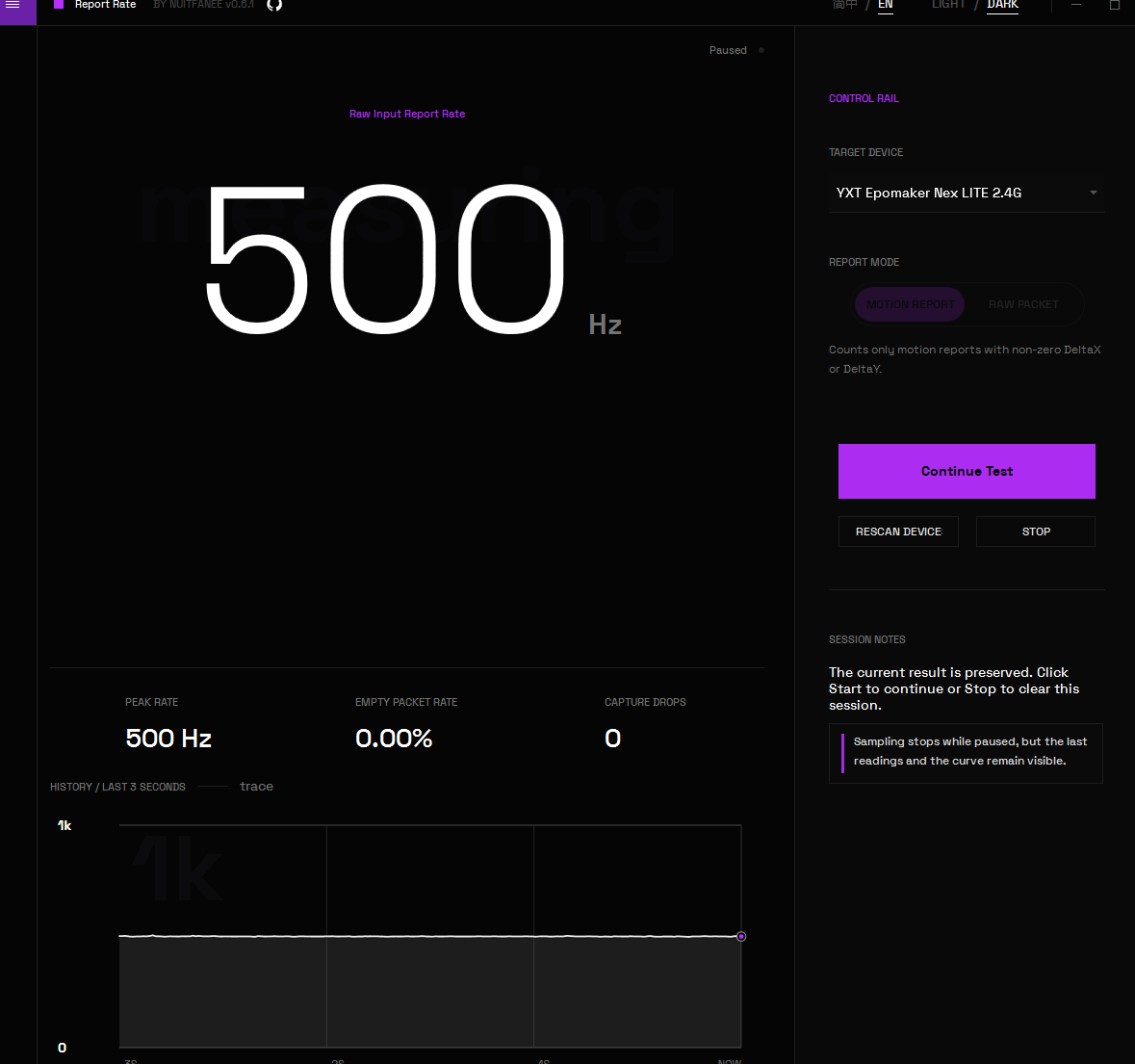
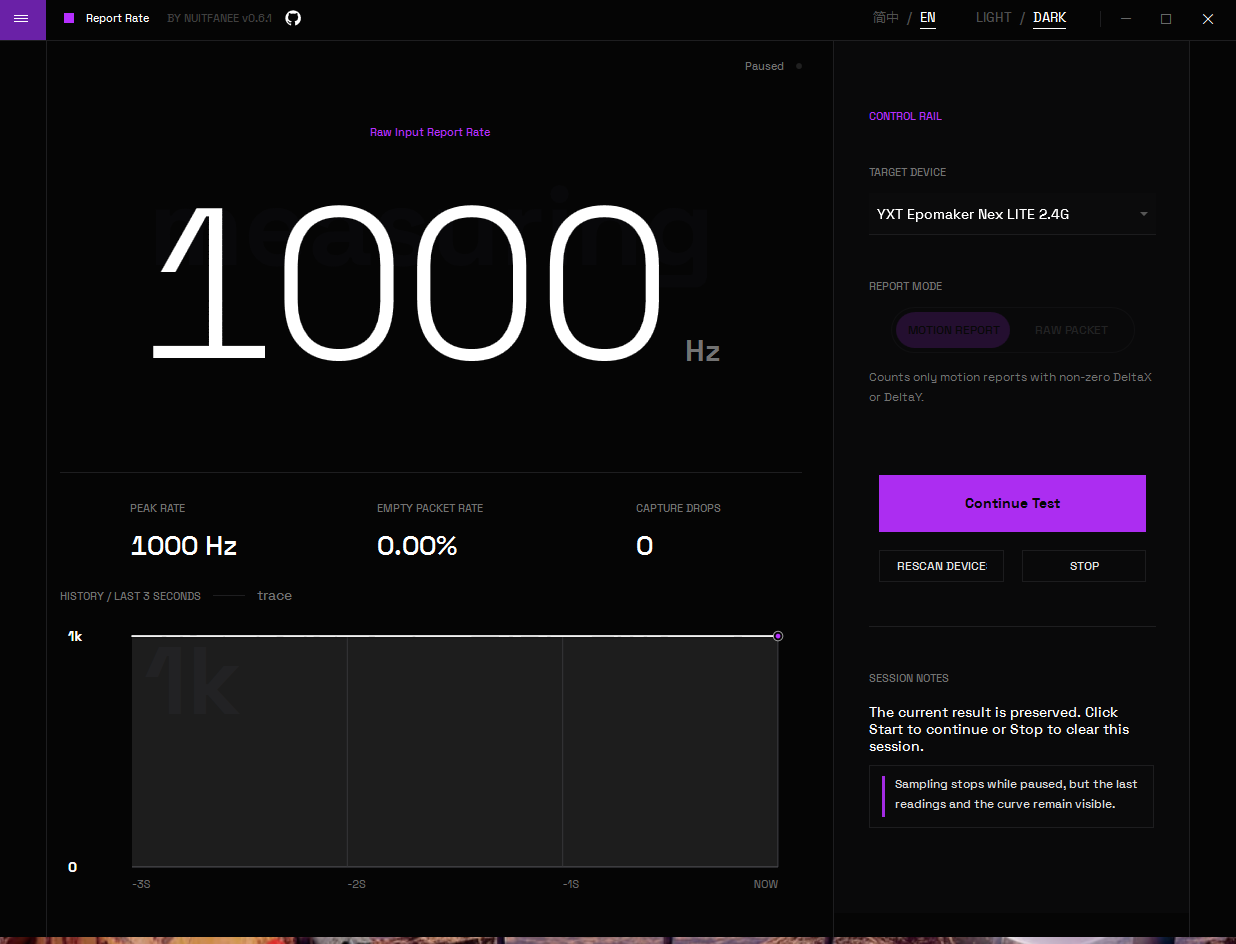
With the Motion Report module, we tested the four available frequencies, keeping the mouse in continuous motion with rapid circles and swipes.
| Polling set | Rating detected | Peak | Empty Packet Rate | Capture Drops |
|---|---|---|---|---|
| 125 Hz | 125 Hz | 125 Hz | 0.00% | 0 |
| 250 Hz | 251 Hz | 250 Hz | 0.00% | 0 |
| 500 Hz | 500 Hz | 500 Hz | 0.00% | 0 |
| 1000 Hz | 1000 Hz | 1000 Hz | 0.00% | 0 |
The result is perfectly clean. In all four modes, the Nex Lite achieves exactly the set frequency, with no empty packets and no capture drops. The graph of the most recent measurement interval remains flat at the expected value: the mouse doesn’t just hit 1000 Hz; it maintains it stably.
Button and double-click testing
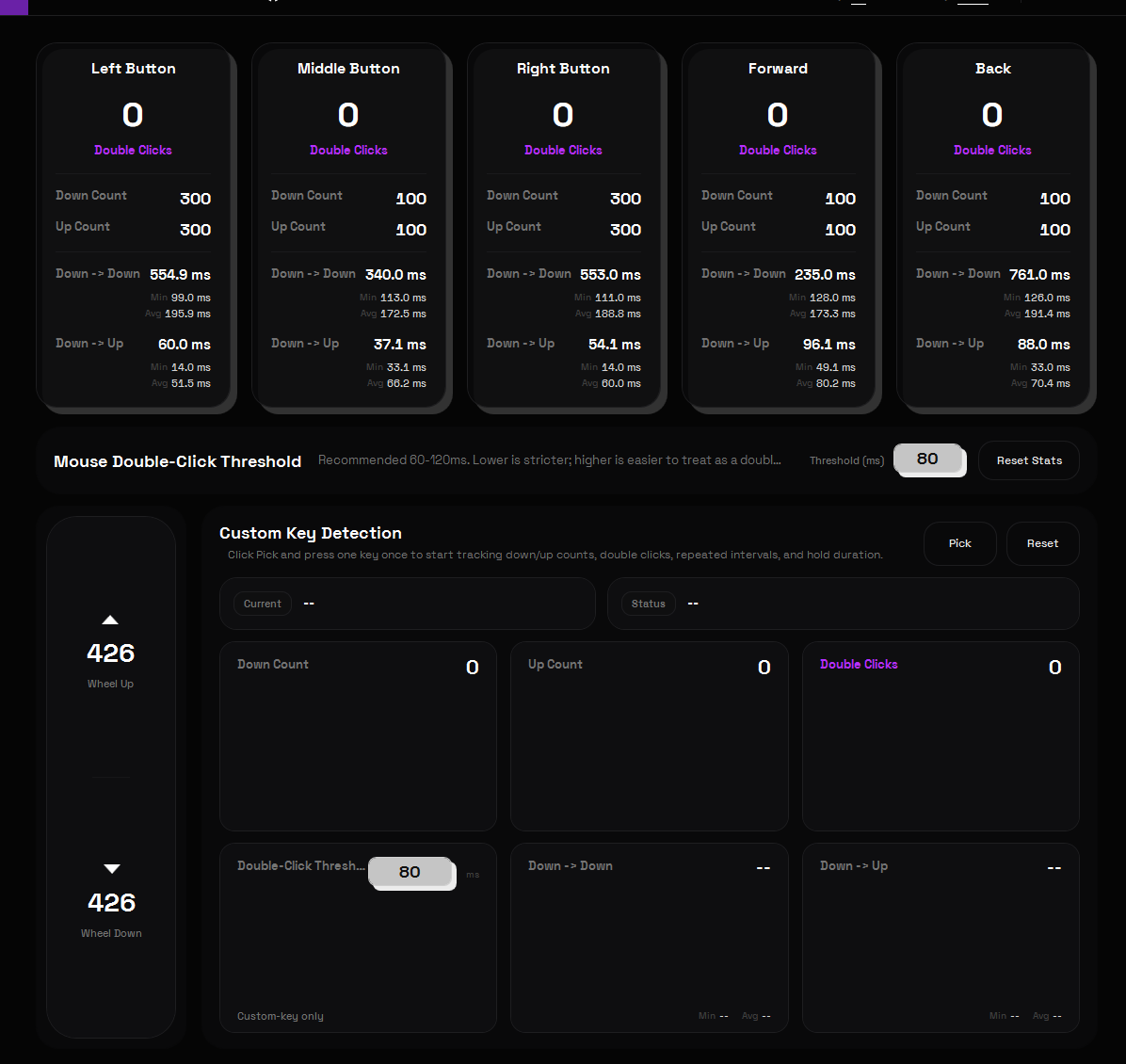
With the Key Detection module of ClickSyncMouseTester, double-click threshold set to 80 ms, we have this time tested all five buttons.
| Button | Pressioni | Double-click detected |
|---|---|---|
| Left | 300 | 0 |
| Destro | 300 | 0 |
| Central | 100 | 0 |
| Onwards | 100 | 0 |
| Back | 100 | 0 |
| Total | 900 | 0 |
On 900 presses, no accidental double-clicks were detected, and for each button, the number of presses matched the number of releases. The scroll wheel also performed well: 426 upward clicks and 426 downward clicks, with no reversals or anomalous events.
The test was conducted with the Key Response Time set to its factory default of 8 ms. On the CarbonX, we had reduced it to a minimum of 1 ms; here, we preferred to verify how the mouse behaves as it arrives to the user.
We remind you that this test does not measure click-to-PC latency: for that figure, external hardware equipment would be required.
Sensor stress test: spin-out and anomalies
With the Mouse Performance module, we performed approximately 24 seconds of rapid swipes in all directions at 1600 CPI, resulting in a total of 22,648 reports and over 21 metres of total trajectory.
| Statistics | Speed |
|---|---|
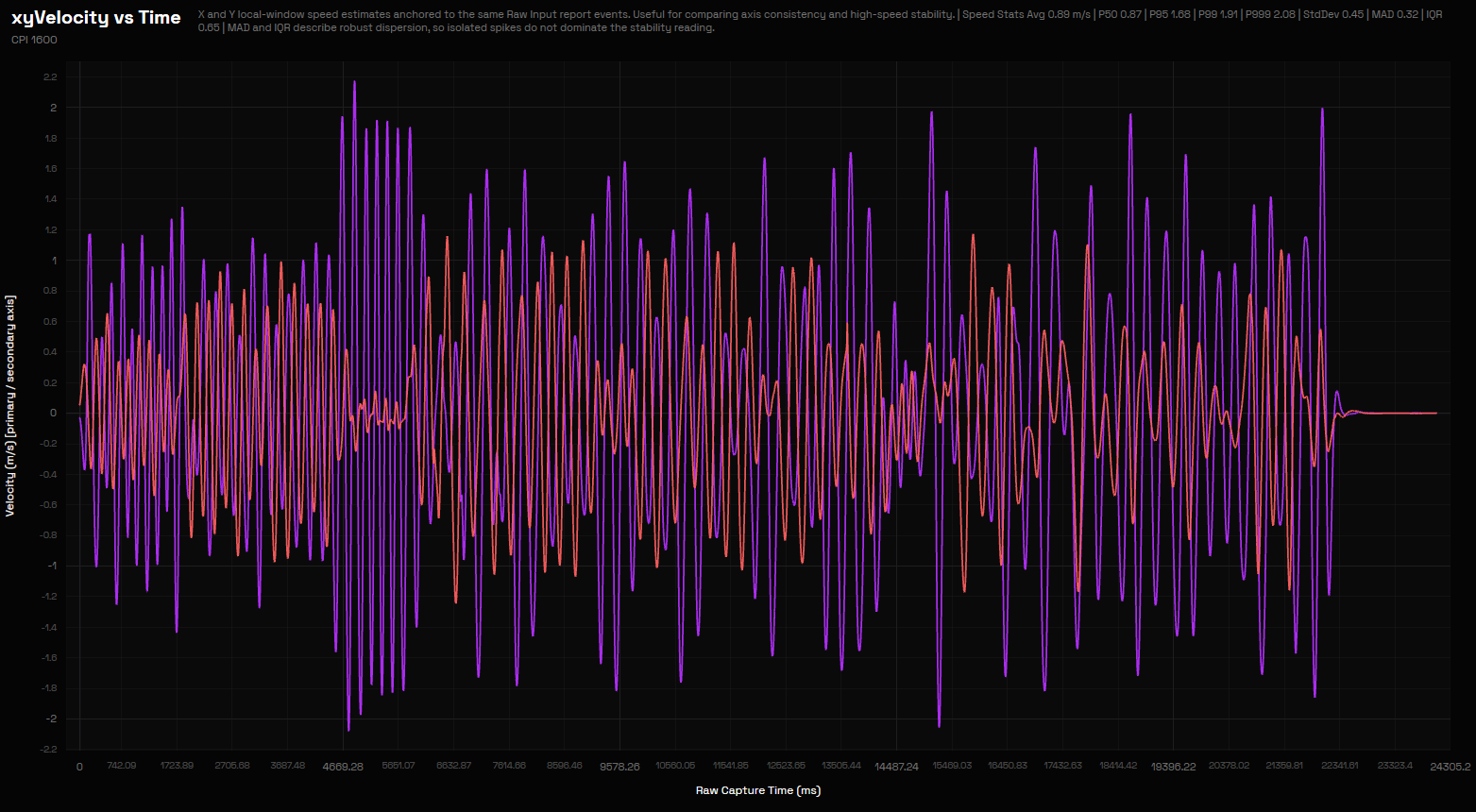
| Media | 0.89 m/s |
| P50 / median | 0.87 m/s |
| P95 | 1.68 m/s |
| P99 | 1.91 m/s |
| P999 | 2.08 m/s |
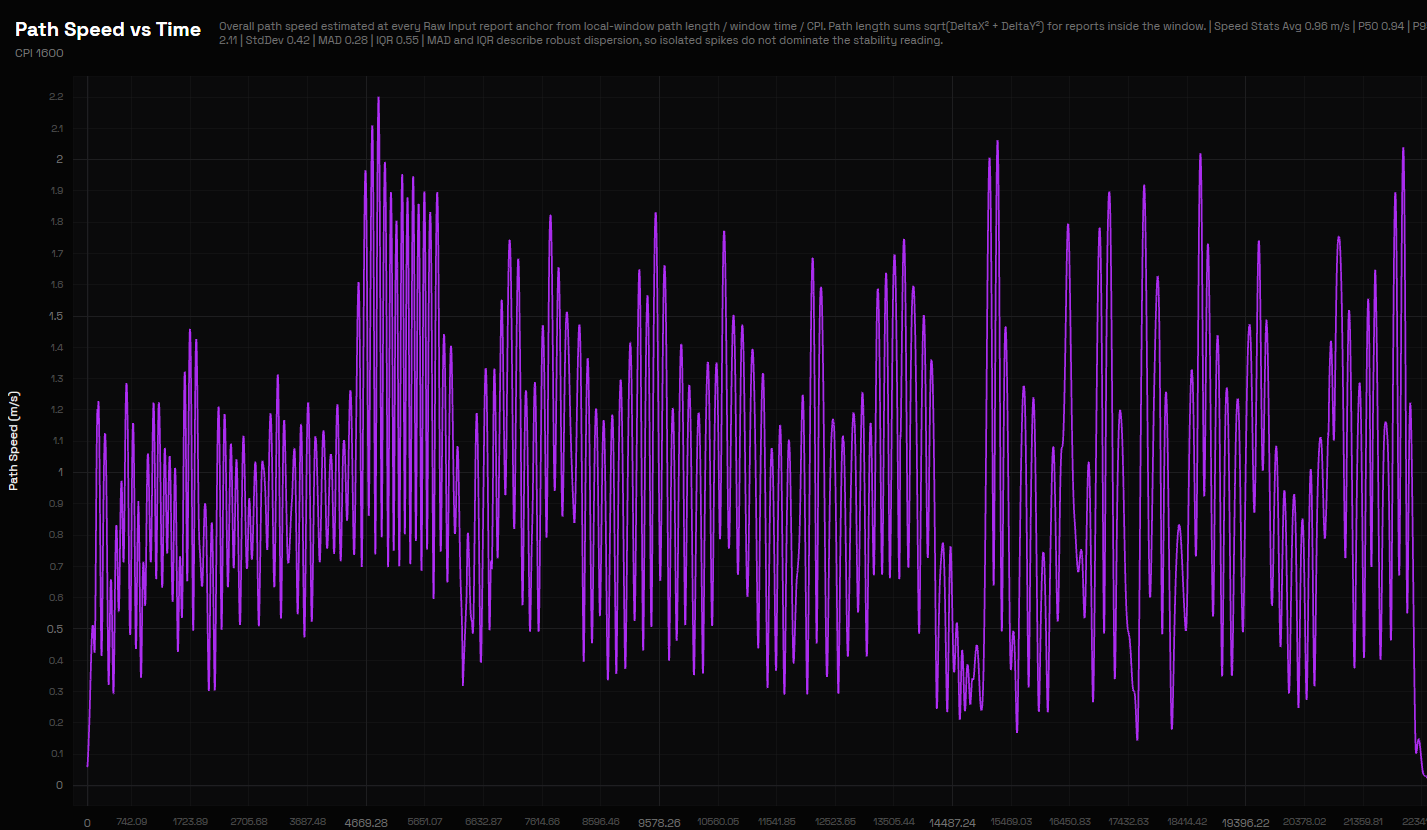
| Peak | about 2.2 m/s |
In the capture, the program did not record lost reports and rated the quality as “Good”. In the xyVelocity and Path Speed graphs, there are no jumps, interruptions, or spin-outs: the curves remain consistent with hand movement even at peaks.
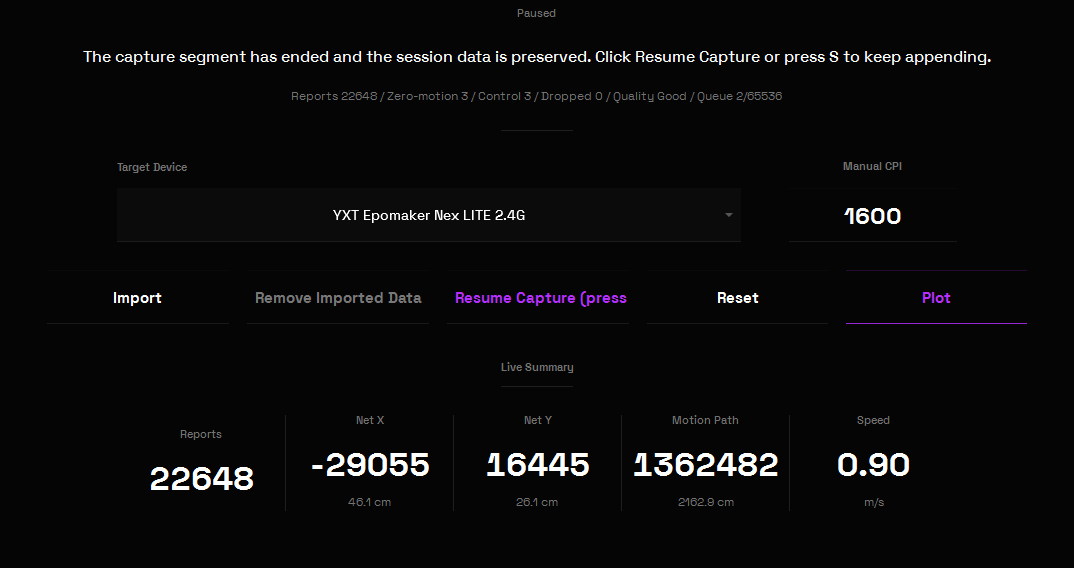
As with the CarbonX, this does not certify the declared limit of 300 IPS (about 7.6 m/s): to achieve that, a mechanical bench would be required. Our result shows that, with rapid manual movements, the PAW3311 remained stable.
CPI Precision: we measured it over 30 cm
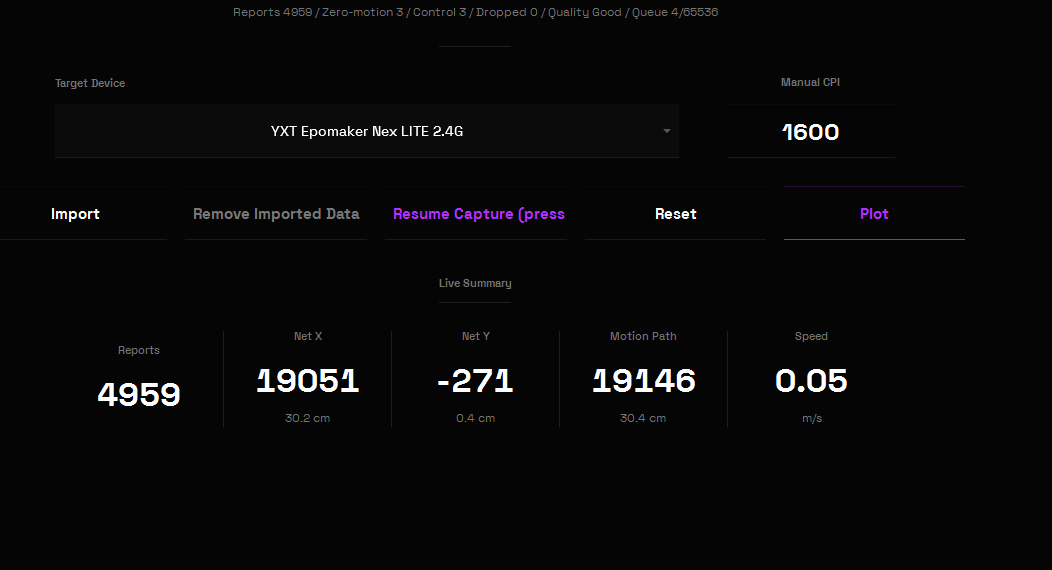
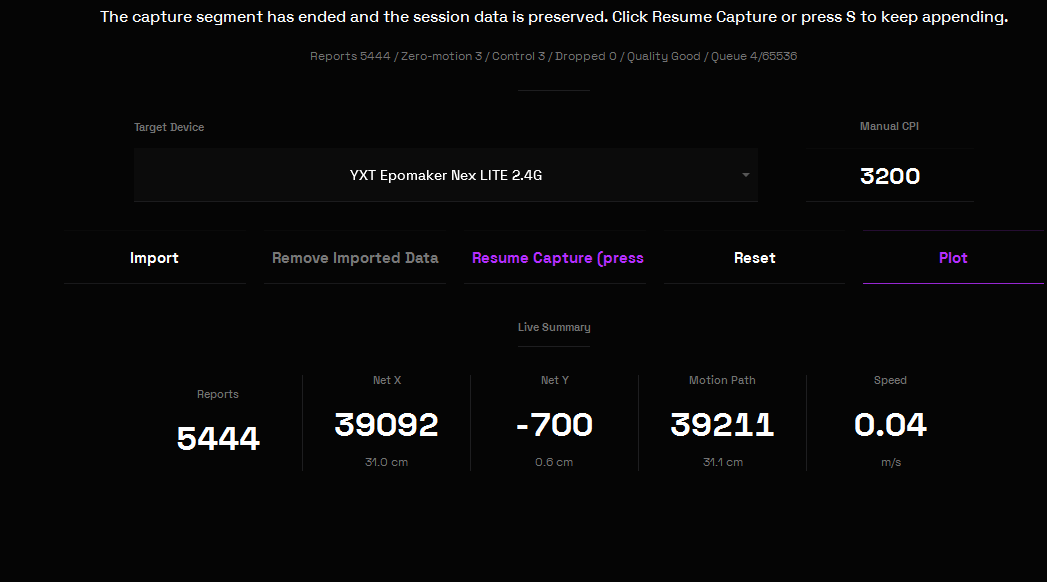
Compared to CarbonX, we have extended the reference distance to 30 cm (approximately 11.811 inches) to reduce positioning errors. For each sensitivity, we have set the same CPI in the mouse and the software, and moved the mouse as far horizontally as possible from one sign to the other. We tested 400, 800, 1600 and 3200 CPI: all values proved consistent, and here we report the two most commonly used.
| CPI set | Count asse X | Estimated actual CPI | Deviation |
|---|---|---|---|
| 1600 | 19.051 | ~1613 | +0.8% |
| 3200 | 39.092 | ~3310 | +3.4% |
As this is a manual measurement, some margin of error is inevitable. The result is nonetheless good and consistent with what was seen on the CarbonX, which had remained within about 3%.
Lift-Off Distance: not adjustable
The Lift-Off Distance indicates the height at which the sensor stops tracking movement when the mouse is lifted. For players who use low sensitivity and frequently reposition their mouse, this parameter is important. Unlike the CarbonX, the Nex Lite does not allow it to be modified: there is no dedicated option in the software.
Angle Calibration
Using the Angle Calibration module, we performed 97 horizontal swipes, covering 12,992 samples. The program suggested a Recommended Angle of 0,6°, with Stability of ±0,1° and track quality rated as “excellent”.
It’s slightly higher than the CarbonX’s 0.2°, but remains negligible: the sensor shows no significant tendency to “pull” towards one side.

Motion Sync
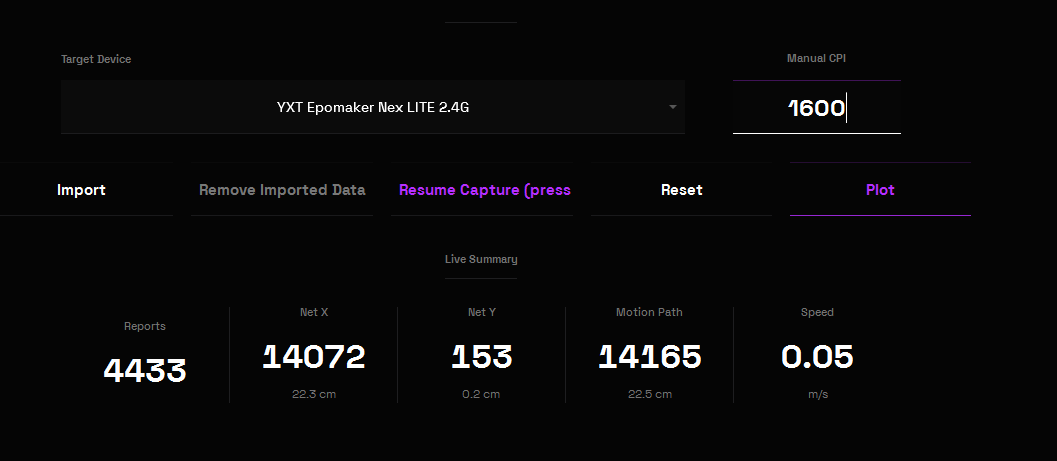
With Motion Sync enabled, we repeated the capture along the same path as the CPI test, performed instead with the function disabled, always at 1600 CPI and stopping at 22.3 cm. The capture ended with 4433 reports, no lost reports, and “Good” quality, with a vertical deviation of just 0.2 cm.
We did not detect any noticeable differences compared to the capture with Motion Sync disabled, which had also produced zero lost reports and “Good” quality. As on the CarbonX, it’s a feature with very subtle effects.
Ripple Control and Line Correction, the equivalent of Angle Snapping, are available in the software but were not measured in this test. Factory settings have Ripple Control enabled and Line Correction disabled.
Battery: good in use, less when off
The Nex Lite integrates a battery of 500 mAh, noticeably larger than the 300 mAh of the CarbonX. EPOMAKER does not state an autonomy in hours.
Throughout the entire test session, we started from an indicative charge of 93%, and the display continued to show the same value until the end.
However, we noticed that the mouse continues to consume a bit of battery even when powered off. Left powered off on the dock, disconnected from the power source, it lost at least 15% of its charge over 3-4 days. It’s not an issue for those who use it daily and recharge it on the base, but it’s a consumption factor to keep in mind.
The mouse enters suspension after 1 minute of inactivity; after 11 minutes of inactivity, it enters deep sleep and disconnects wirelessly. Suspension time is adjustable via the software, and the Smart Power Saving feature turns off the lights while the mouse is in motion.
Price and value for money
At the time of our test, the Nex Lite costs 27.42 euros on the official EPOMAKER store and 43.59 euros on Amazon: in both cases significantly less than the CarbonX, and on the official store about a third of the price. For this price, it offers tri-mode connectivity, a charging dock with an integrated receiver, two OLED displays, rich software options, grip tape, and spare wheels in packaging.
The compromises are evident: entry-level click and scroll wheel, low-quality plastic, polling limited to 1000 Hz, non-adjustable LOD, and a small battery consumption even when powered off. However, these are limits consistent with the price, and tests indicate that the core components — sensor, polling, and buttons — function as they should.
PART 3 – In conclusion: is it worth buying the EPOMAKER Nex Lite?
After the same series of tests reserved for the CarbonX, the EPOMAKER Nex Lite has shown us a very different but equally clear identity. It doesn’t aim to shock with extreme numbers: it focuses on offering everything a modern wireless mouse needs, plus a bit of originality, at a very affordable price.
What we liked most is that the fundamentals work as promised. The polling rate respects all four frequencies, from 125 to 1000 Hz, without empty packets or capture drops. Across 900 presses distributed among the five buttons, we detected no accidental double-clicks. The PAW3311 remained stable during rapid swipes, CPI measurements over 30 cm stayed within about 3.5% of the set values, and Angle Calibration returned a negligible angle of 0.6°.
The weight on the balance is 65.45 grams, practically identical to the stated figure. The dual display, on both the mouse and the dock, is a truly successful idea, and together with the RGB lights and the charging system, gives the product a personality that is uncommon at this price.
The price is felt instead in the feel: click and side buttons are a bit gritty and unrefined, the scroll wheel is entry-level, and the plastic isn’t premium, though it conveys solidity. The dock with integrated receiver is comfortable for the desk, less mobile, and the battery loses some charge even when the mouse is off.
In short, the EPOMAKER Nex Lite is a mouse worth recommending to those looking for a cheap wireless mouse, complete, reliable in specs, and with a few original details to display on their desk. Those seeking a more refined click feel or a mouse to carry often outside the house should instead look elsewhere.
The numerical data labelled as “our tests” comes exclusively from the unit we tested.
About the Author