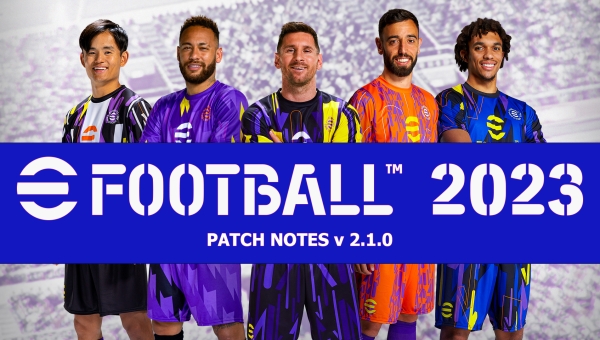
As already announced for days, today 20/10/2022 the new patch v2.1.0 for eFootball 2023 arrives.
The patch is 1.3 GB on PC / 14.373 GB on PlayStation and includes no additional datapack. All changes made by this patch will be limited to an update of the application’s executable file — a set of improvements, bug fixes, and corrections aimed at enhancing the gaming experience.
Here is the list of updates provided by Konami:
Additional features
PlayStation®5, PlayStation®4, Xbox Series X|S, Xbox One, Windows, Steam®
-
・ Added the new "Friend Match" mode, allowing users to challenge their friends with the Dream Team.
-
・ The initial menu's appearance has been modified.
-
・ Added the option "Number of Substitutions Intervals" in Game Options. The default value is set to 5 possible substitutions across 3 substitution intervals.
-
・ Null matches will now appear in the Match Summary menu for users.
-
-
・ The initial menu's appearance has been modified.
-
・ Added the option "Number of Substitutions Intervals" in Game Options. The default value is set to 5 possible substitutions across 3 substitution intervals.
-
・ Null matches will now appear in the Match Summary menu for users.
Gameplay fixes and adjustments
PlayStation®5, PlayStation®4, Xbox Series X|S, Xbox One, Windows, Steam®
-
・ Changes made to the filtering passage directions when there are multiple opponents nearby.
-
・ Fixed the issue that prevented players from moving based on position inputs during the Testa a testa command.
-
・ Implemented adjustments to player positioning when executing Chiama pressing against an opponent holding the ball in the wide areas. Players will now position themselves to intercept passes more easily.
-
・ Implemented adjustments to ensure players defend the mid-air balls arriving more appropriately, such as crosses and through-balls.
-
・ Fixed the issue where, after assigning "Defensive" to a full-back in "Individual Instructions", the player could remain too low.
iOS, Android
- ・ Changes made to the filtering passage directions when there are multiple opponents nearby.
- ・ The issue has been fixed where low passes towards a running player were not directed at their feet but towards the space ahead of their movement direction.
- ・ Fixed the issue that prevented players from moving based on position inputs during the Testa a testa command.
- ・ Implemented adjustments to player positioning when executing Chiama pressing against an opponent holding the ball in the wide areas. Players will now position themselves to intercept passes more easily.
- ・ Implemented adjustments to ensure players defend the mid-air balls arriving more appropriately, such as crosses and through-balls.
General changes applied to mitigate or completely eliminate the following bugs
PlayStation®5, PlayStation®4, Xbox Series X|S, Xbox One, Windows, Steam®
- ・ Possible app crash due to an error.
- ・ Restarting the game without interruption by taking a corner kick causes the transition graphics to appear, which can delay defensive team commands.
- During a goalkeeper's clearance from deep, teammates can obstruct it, causing a clearance without actual ball contact.
- ・ Reopening the Game Schema after selecting "Tattica secondaria" or "Difensiva" causes it to be changed to "Offensiva".
- It is possible that the live score update for the two teams may be incorrect.
- ・ In certain game modes, such as Online Quick Match or Friend Match, the match commentary may mention the total points earned even if the match results are not recorded.
- ・ The names of players on certain team jerseys appear incorrect.
- ・ During matches at the Gewiss Stadium with certain camera settings, the stadium roof obstructs the view near the goal lines.
- ・ During matches at the Gewiss Stadium with the time set to "Night" and the season set to "Summer", the frame rate will decrease throughout the match.
- During matches at the Estadio Azteca, the stadium tunnel and signage may overlap in post-match footage.
- ・ During matches at the Stadio Olimpico (AS Roma) and the Estádio Beira-Rio, some stadium graphics may disappear after the first-half highlights.
- When playing matches with the time set to "Day", the lighting of players with certain hairstyles can become unnatural.
- When playing matches in some stadiums, the crowd graphics are not displayed at the moment the stadium appears in the pre-match footage.
- When selecting the rematch in the Test Match, performing certain commands on the "Select Team" screen before the kickoff may cause the banners of the previous match’s teams to be displayed.
- ・ In Game Schema, switching from "Basic Information" to "Team Play Style" and "Live Evaluation" may cause some player images to reload each time.
- ・ In the stadium announcements, the players' numbers may be incorrect.
- ・ The time to load images on the menu screen is excessively long.
- When you launch the game with an account that has already completed the tutorial, the message [All tutorials completed] may appear every time you access the main menu.
- ・ In the tour events with the "Campionato" or "Squadra" bonus types, switching the display in the Game Schema will change the background of some player images.
- ・ In the tour events with the "Nationality/Region" bonus type, switching the display to "Bonus Players" in the Game Layout will show the clubs' badges of the players only after briefly displaying the nationality.
- ・ In [eFootball™ World] > [Squadra dei sogni] > [La mia squadra] > [Giocatori], selecting "Sort" or "Filter" will cause the cursor to not align with the start of the list.
- When using a targeted contract, hovering the cursor over a player in the squad will display the "Sign" option even if the player cannot be re-signed.
- When a player named Laminato is selected from the base player list, the laminated effect is not displayed in the player selection animations.
- In the Basic Players List, using "Order" or "Filter" after selecting "100 previous" will place the cursor at the end of the list.
- When accessing other users' User Details, it is possible to open "Action" and "Game Schema" simultaneously.
- ・ On some screens, team names are displayed only partially
- ・ In some languages, the end of sentences may be displayed incorrectly on certain screens.
- ・ In some languages, some command guides appear with an inverted sequence.
- ・ In some languages, certain on-screen text appears in the wrong position.
- When playing for the first time in Training mode, selecting Punishment from the Training menu may cause the text in the top-right corner of the screen to overlap.
- ・ Some command guides displayed in Free Training are not suitable for certain Fake types.
iOS, Android
- ・ Possible app crash due to an error.
- Restarting the system may prevent proper input of commands after resuming a paused match.
- ・ Changes made to the Match Options during a match may not be saved.
- ・ When the Control Type is set to Classic, a Sensational Transition may be activated without loading, depending on the scroll input timing.
- ・ Performing certain commands during a bottom reset can trigger a rewind with a lower trajectory than usual.
- ・ The fake ones with L don't work correctly.
- ・ Some players might get immersed in the terrain during matches.
- It is possible that the live score update for the two teams may be incorrect.
- Depending on the device, the on-field banner graphics appear incorrect.
- ・ In certain game modes, such as Online Quick Match or Friend Match, the match commentary may mention the total points earned even if the match results are not recorded.
- ・ The configuration set up in Game Scheme might inadvertently change.
- ・ After creating a new game scheme, if you view the scheme details or select [Rename game scheme], the selected scheme will be automatically set as the active game scheme.
- When you create a new game plan or select [Delete Game Plan] on an inactive game plan, pressing [Cancel] displays an error message.
- ・ In [eFootball™ World] > [Squadra dei sogni] > [Schema di gioco], selecting the player card of a Trending player in the starting lineup will prevent other players with a different Player Type from seeing the "Level Up" and "Player Progress" options.
- ・ In the stadium announcements, the players' numbers may be incorrect.
- ・ The time to load images on the menu screen is excessively long.
- ・ In Partita amico, returning to a Challenge Room, the "Start Game" option will be selectable even if the Owner is not ready.
- ・ In the tour events with the "Campionato" or "Squadra" bonus types, switching the display in the Game Schema will change the background of some player images.
- ・ In events where Uniform Assessments are applied, the player ratings displayed in "Player Roles" within the Game Schema show an incorrect value.
- ・ During events challenge "Authentic", when returning to the Pause menu after selecting any of the menu options, the same team will be displayed both at home and away.
- ・ In the "Authentic Challenge" events, the Live Update application will display the message "Team updated" even if no changes have been made.
- ・ In the "Autentica" events, the Live Ratings appear as "C" in Player Details and Game Schema before the match starts.
- ・ Depending on the device, the text of the Level shown on the back of a player card at maximum level is green.
- ・ In [eFootball™ World] > [Squadra dei sogni] > [La mia squadra] > [Giocatori], the "Done" option in [List Options] > [Filter] appears incorrectly as "Cancel" in menus where multiple selections are possible.
- ・ In [eFootball™ World] > [Squadra dei sogni] > [La mia squadra] > [Giocatori], select "Rotate" after a quick swipe to prevent the rotation of some Player Cards.
- ・ The game may crash if you rapidly scroll down the player card list in [eFootball™ World] > [Squadra dei sogni] > [La mia squadra] > [Giocatori].
- When using a targeted contract, hovering the cursor over a player in the squad will display the "Sign" option even if the player cannot be re-signed.
- In the Basic Players List, using "Order" or "Filter" after selecting "100 previous" will place the cursor at the end of the list.
- ・ In [Store] > [eFootball™ Points], tapping the Home button immediately after selecting an item will display the Main Menu.
- ・ During the username change, changes may not be applied without displaying the appropriate warning message if the new username is already in use.
General improvements
PlayStation®5, PlayStation®4, Xbox Series X|S, Xbox One, Windows, Steam®
- Various measures have been adopted to prevent match result manipulation by interrupting online matches using improper methods.
- ・ Other minor improvements have been implemented in each mode and in matches to enhance the overall gaming experience.
iOS, Android
- ・ Implementation of targeted improvements to speed up transitions between various menus.
- Various measures have been adopted to prevent match result manipulation by interrupting online matches using improper methods.
- ・ Other minor improvements have been implemented in each mode and in matches to enhance the overall gaming experience.