
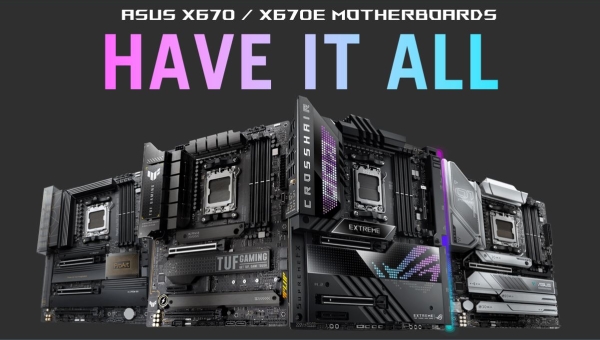
ASUS has announced the availability of a BIOS update for its X670 and X670E motherboards that enables full compatibility with the latest AMD Ryzen 7000 X3D CPUs featuring AMD 3D V-Cache technology.
The solid and well-proven gaming performance of the AMD Ryzen 7 5800X3D has certainly made it one of the favourite products for builders. PC motherboards ASUS have offered them and users options with high performance and rich functionality to build powerful PC gaming PCs based on one of these chips. Now AMD is raising the stakes with two new CPUs from the Ryzen 7000 series with AMD 3D V-Cache technology: Ryzen 9 7950X3D and Ryzen 9 7900X3D. Combining a vertical 3D cache with all the advantages of the most evolved X670 platform, these chips are ready to further boost gaming performance.
ASUS motherboards once again offer users and PC builders all the best options to choose the perfect solution for their new AMD gaming PC. There’s only the embarrassment of choice: since the new CPUs are housed in the AM5 socket, X3D processors are compatible with the entire selection of X670E/X670 motherboards from the ROG Crosshair, ROG Strix, ASUS TUF Gaming, ASUS ProArt and ASUS Prime series.
Before planning the build or upgrade of your PC with the new Ryzen 7000 CPUs, it’s nonetheless wise to ensure that your motherboard supports them. The latest firmware versions for ASUS X670E and X670 motherboards indeed offer full support for the new chips from the day they were launched. If users are upgrading an existing system, ASUS therefore advises immediately updating the BIOS to the latest version to enjoy the best possible experience.
For those who are instead purchasing a new motherboard to pair with the new chip, it is important to verify that it is updated with the latest firmware. ASUS has always been committed to ensuring that its motherboards leave the factory with the latest updates installed. However, for those planning or already building a new PC in the immediate vicinity of the new CPUs’ launch, it is advisable to always check the existing firmware version and update if necessary.
The table below is useful for identifying the latest BIOS version for your motherboard:
|
Motherboard model X670 |
BIOS version |
|
0922 |
|
|
0922 |
|
|
0922 |
|
|
0922 |
|
|
0922 |
|
|
0922 |
|
|
1222 |
|
|
1222 |
|
|
1222 |
|
|
0922 |
|
|
1222 |
|
|
1222 |
|
|
1222 |
|
|
1222 |
For further information on the BIOS update, you can consult the step-by-step detailed guide.
About the Author