
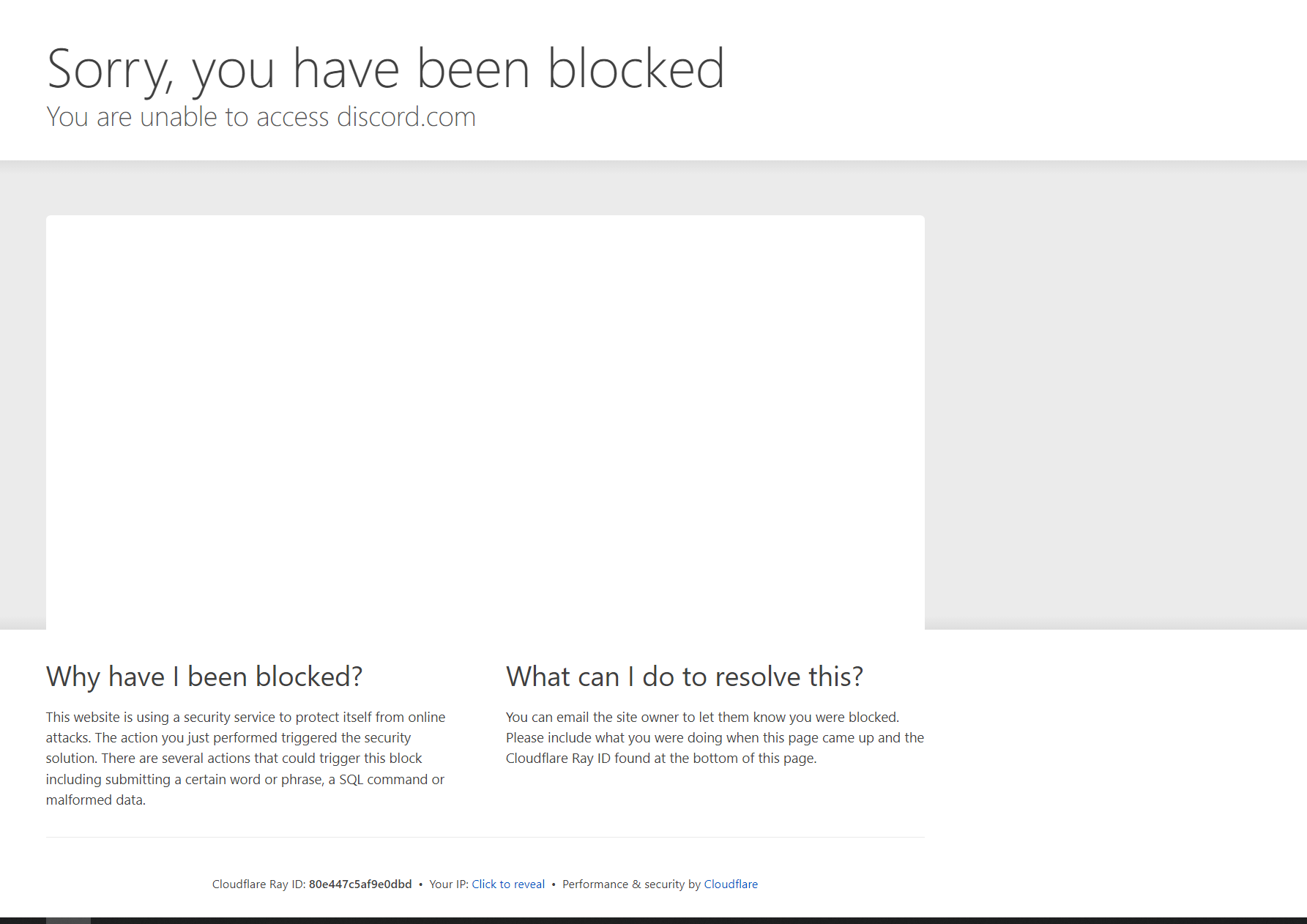
If you’re here, you’re probably like many other users experiencing a problem using Discord , the popular instant messaging app , which is currently facing a partial service disruption, likely due to a hacker attack or an update to the Cloudflare component housed within Discord’s servers. Many users report being unable to access their Discord account and receive a message such as the following:
Many users have reported issues with access, as well as numerous other difficulties with other platform features, on X (ex Twitter) and Reddit. This disruption appears to be widespread and could affect users worldwide.
It should be said that this anomaly affects both the Discord web application and the desktop application, while at the moment it seems the mobile app is working without issues.
The official Discord status page confirms that the company is aware of the issue. Previously, a similar error was logged a few hours ago and fixes were implemented. However, users continue to experience difficulties accessing the service.
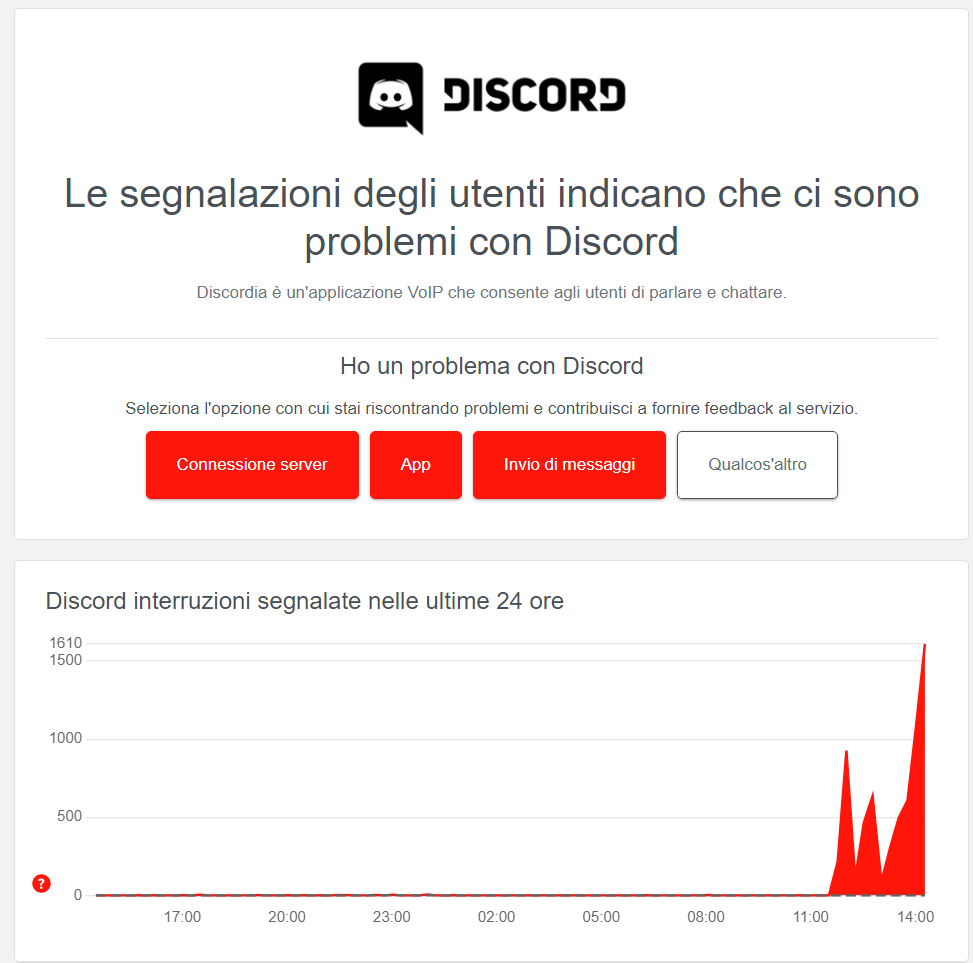
Also, visiting the page downdetector reveals numerous reports on the subject, as shown in the screenshot below.
How to fix it?
We too were struck by this issue and have found a small solution to at least temporarily alleviate the discomfort.
We have two types of partial solutions to offer, as the first solution does not always work successfully.
Option 1
The first suggestion is to uninstall and reinstall the application on PC.
- Uninstall the app on PC from Computer panel - Programs and features - double-click the Discord app
- If you manage to access the Discord website, download and reinstall the application; if this is not possible, proceed to step 3
- Download Opera Browser from QUI if you haven't already installed it, and install it
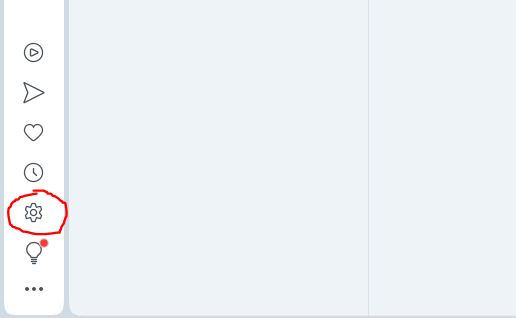
- After installing Opera, go to settings in the bottom left, gear icon
- Once the settings are open, go to Features, and set up the VPN as shown in the following image
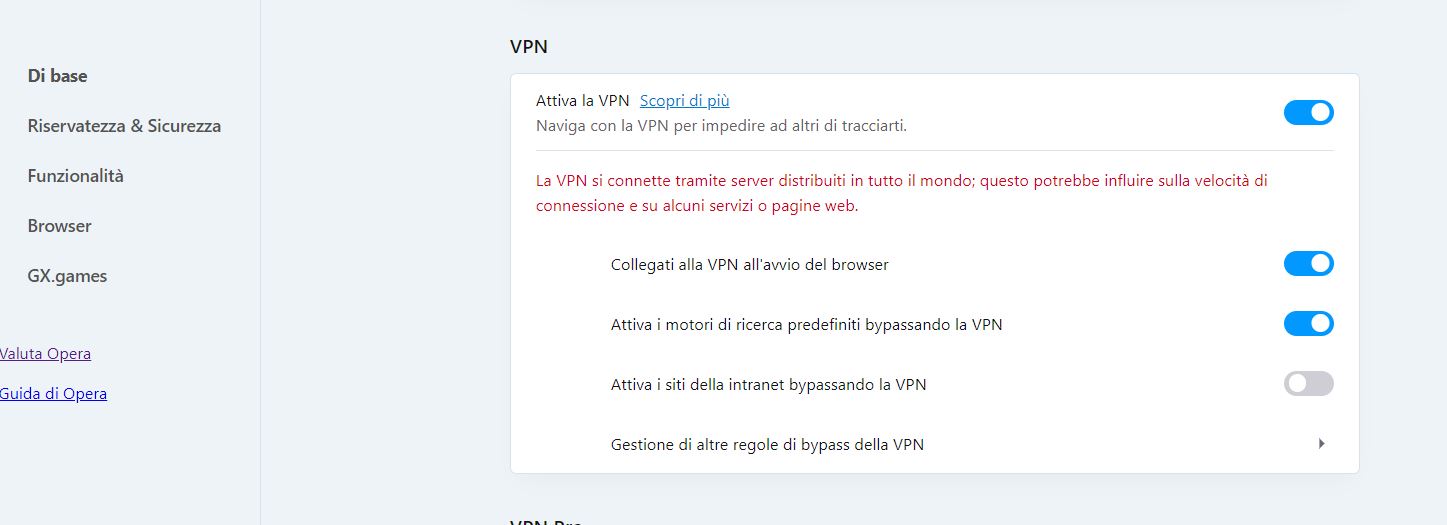
- Connect to the Discrord website using the Opera browser and download the application
Once downloaded, try logging in to see if everything works as expected.
If it doesn't work for you, you'll have to wait for Discord itself to fix the issue; otherwise, if you simply can't manage without your preferred instant messaging app, you can always go with the second option.
Option no.2
Having already tried OPTION 1, you have certainly installed Opera and activated the VPN that allowed you to access Discord to download the app. You can thus access the Web App offered via the same site, enabling connection through a browser without needing to install the app.
Hoping we’ve been of some help, we eagerly await Discord’s ability to resolve the issues.
About the Author